Frequently Asked Questions About Our Marketing Features
Everything you need to know about the marketing features of our salon booking app!
1. What are the marketing features offered by TimeTailor?
Alongside its main features, TimeTailor is also designed to help salons attract clients, increase bookings, and reduce no-shows. For this exact purpose, we offer marketing features such as appointment confirmations, appointment reminders, re-booking nudges, and customized promotions & discounts.
Additionally, salons can also enable appointment updates and cancellation notifications to reduce no-shows and quickly fill empty time slots.
2. How does TimeTailor help reduce no-shows?
The instant booking confirmations reinforce commitment, reducing any confusion about date or time, the reminders ensure clients never forget their appointments, no matter how busy their schedule becomes, and the re-booking nudges keep customers engaged with your business.
3. How can I activate these options?
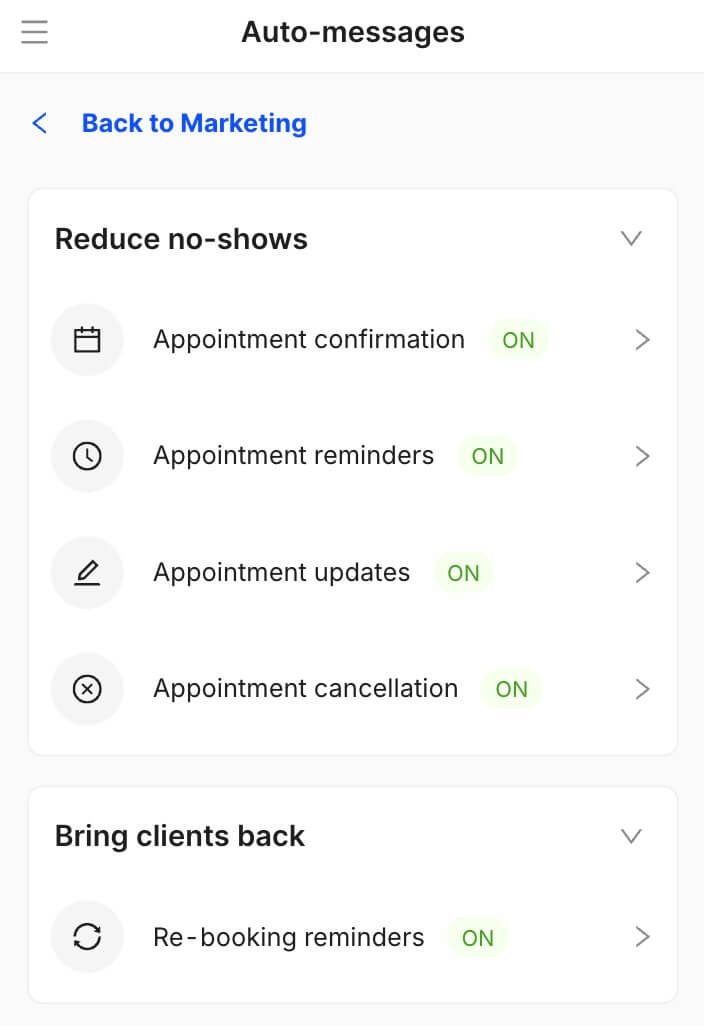
You can find auto-messages and promotions inside the admin panel, under Marketing:
4. How quickly are auto-messages sent after I activate them?
The appointment confirmations are sent right after the appointment is booked, while the reminders go out 24 hours before the appointment.
5. Are messages sent via SMS, email, or both?
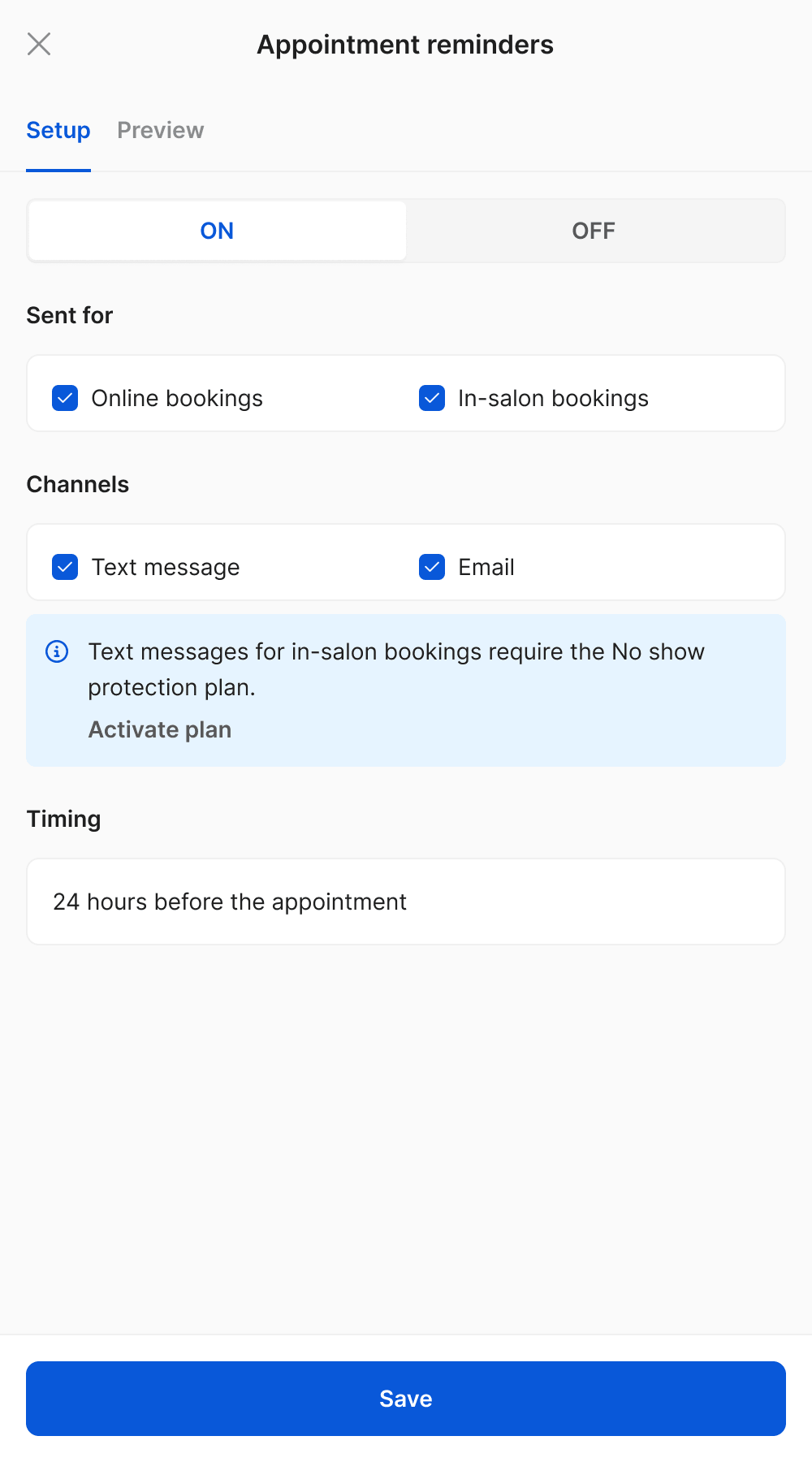
It’s up to you! You can choose if appointment confirmations are sent for online bookings or in-salon bookings, and if you’d like them to go out by SMS, email, or both. Same goes for the appointment reminders and re-booking nudges.
6. What about appointment updates and cancellation messages?
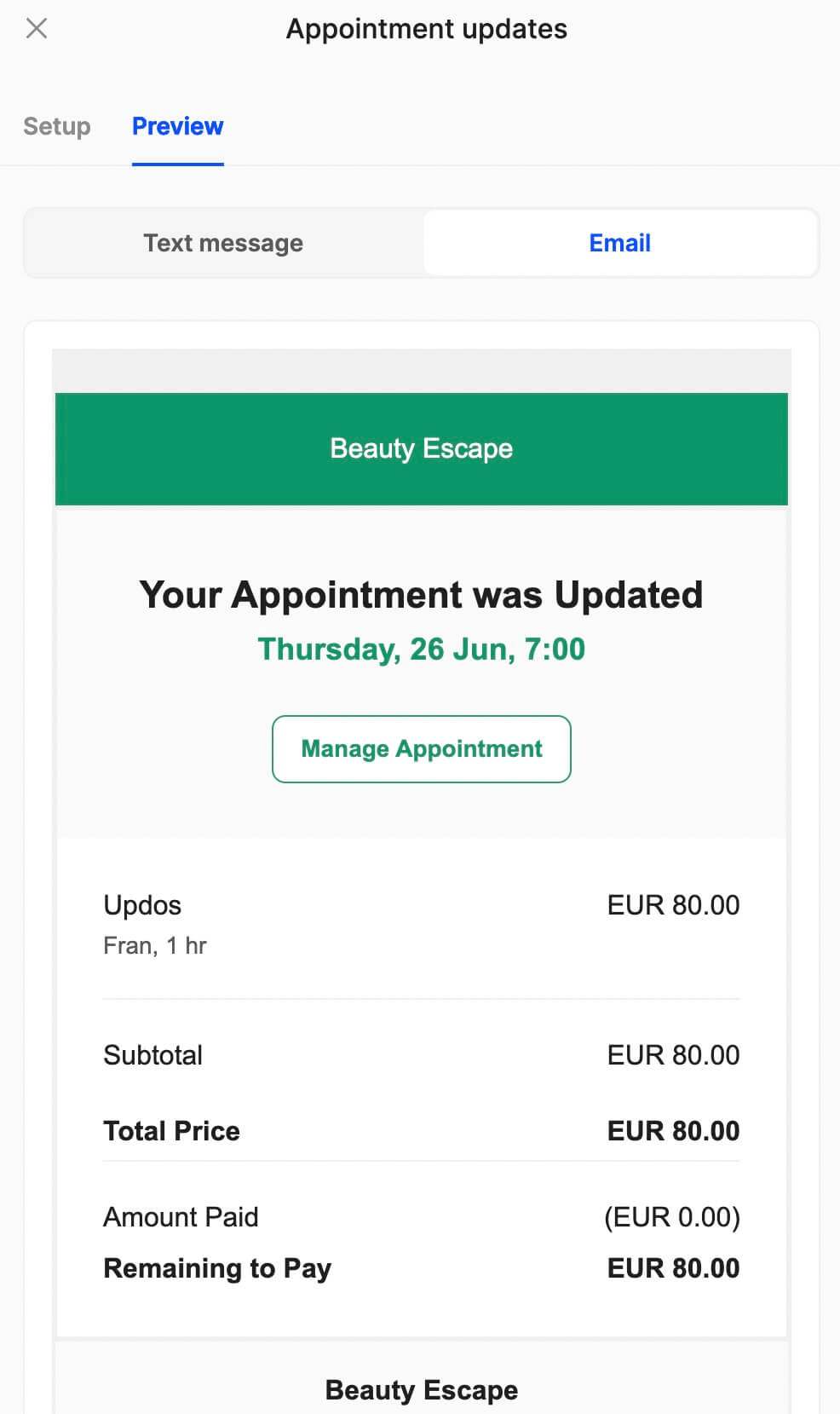
After activating appointment updates and cancellation notifications inside the Marketing section, clients will be able to receive notifications on SMS, email, and WhatsApp:
7. How are updates and cancellations managed?
After booking online, the confirmation message will include a Manage Appointment button. From there, users will be able to reschedule or cancel their appointment, as well as review the salon’s policies beforehand.
8. Can I activate confirmations, reminders, and re-booking nudges for in-salon bookings?
Of course! You can activate them for online bookings, in-salon bookings, or both:
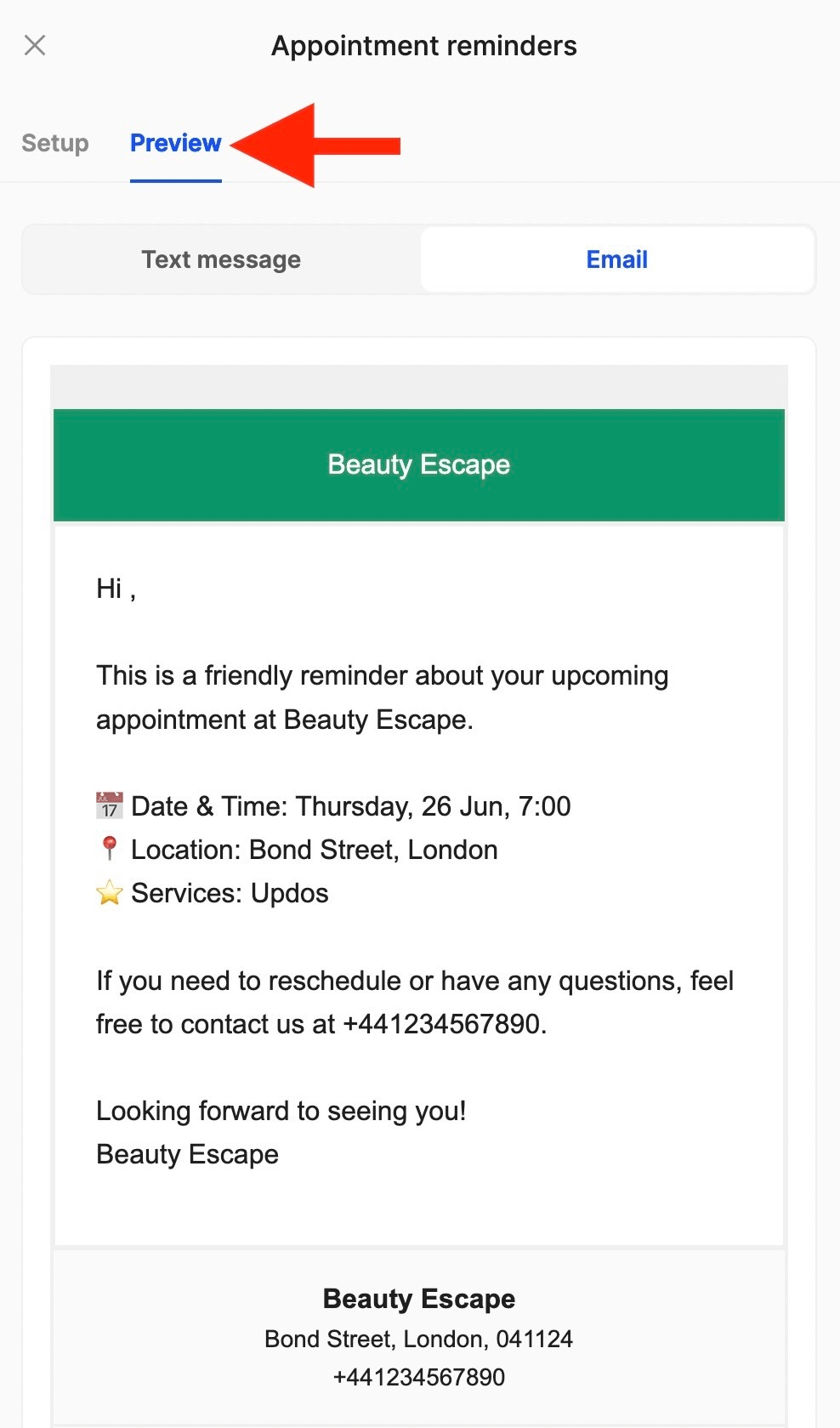
9. Can I preview confirmations, reminders, and re-booking nudges?
Absolutely! Simply go to the Marketing section, choose what feature you’d like to preview, and click on Edit:
10. How do I create a customized promotion in the system?
To create a promotion, after going to the Marketing section, navigate to Promotions, and click Add:
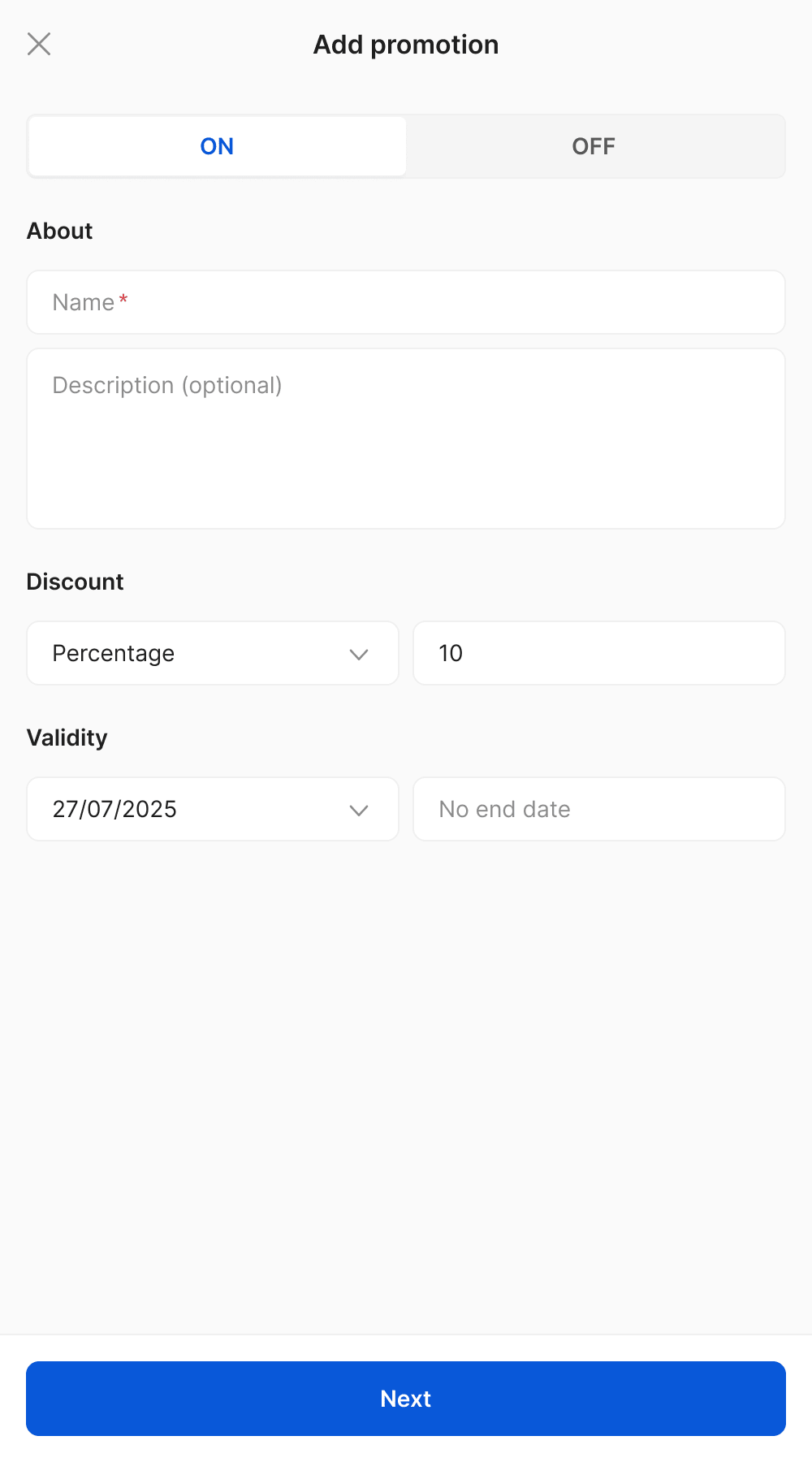
From here, you can add the name, the description, the type of discount (percentage or fixed amount), and set the validity period.
11. Is it possible to limit a promotion to certain dates or services?
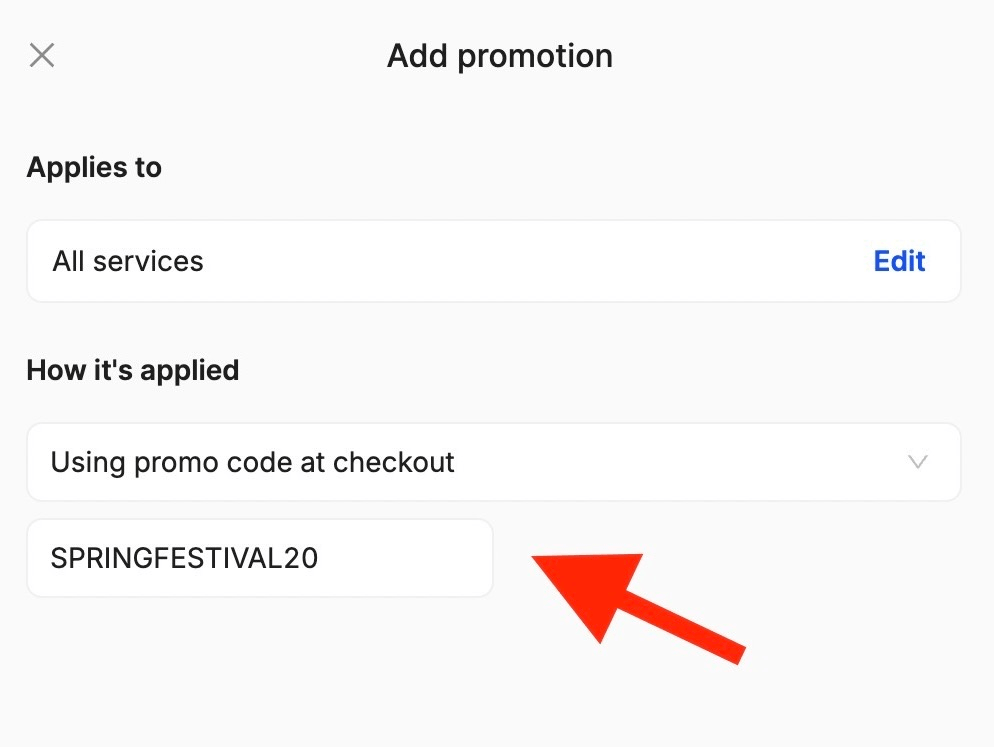
Of course! After you create the new promotion, the next step is to select the services it applies to and how it’s applied (automatically, when conditions are met, or using a promo code at checkout).
12. Can I define specific conditions for promotions?
Yes! Defining the conditions is the last step before the promotion is saved and goes live:
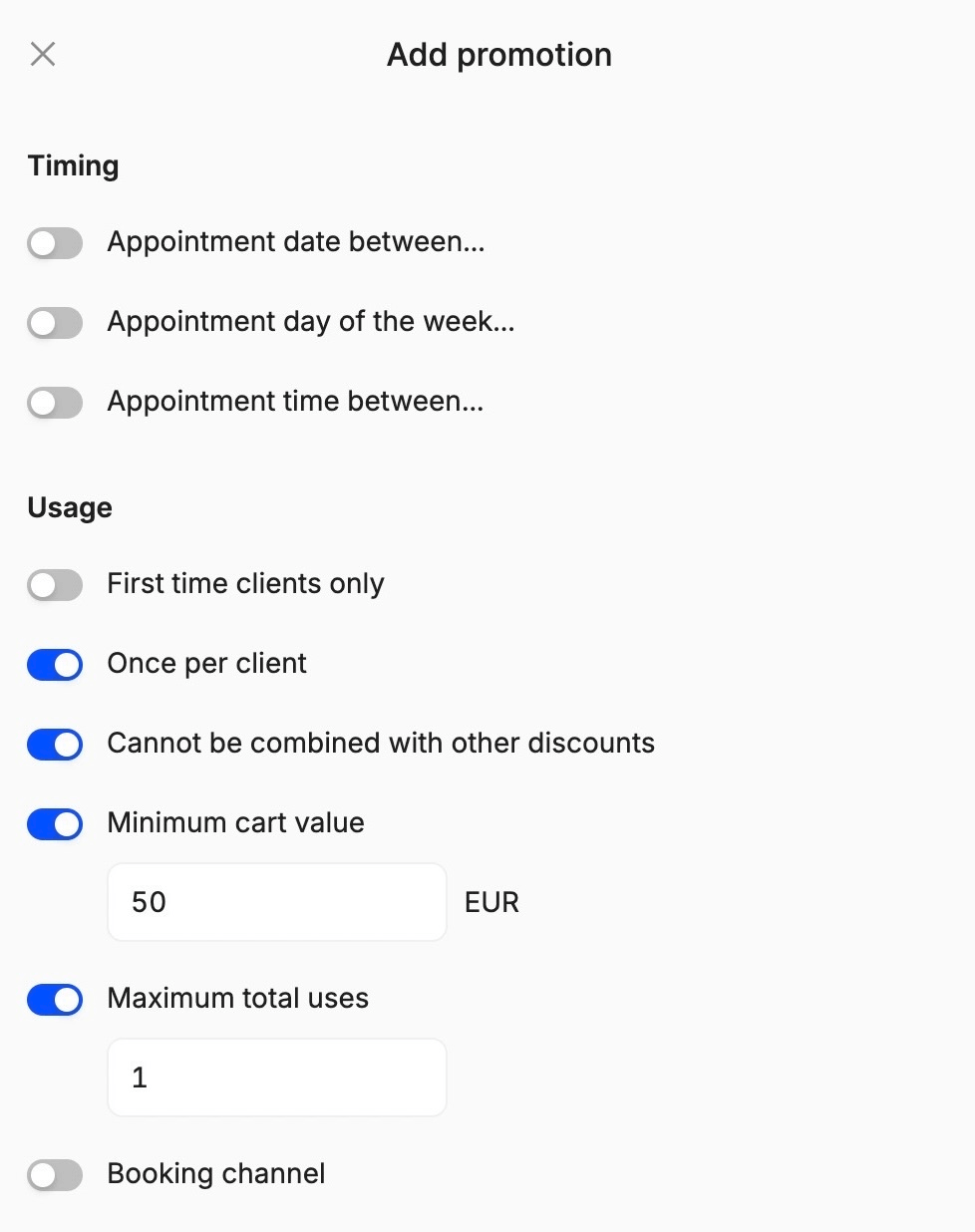
Afterwards, you can edit any promotion anytime you need just by clicking on it!
13. Is the promotion applied automatically at checkout?
Yes! If you select “Automatically, when conditions are met”, the discount will be applied at checkout for eligible clients. If you choose “Promo code at checkout”, clients will need to enter the code to activate it.
14. How do I handle promo codes?
Promo codes are created in the same way as regular promotions. The only difference is that when you get to “How it’s applied”, you need to select “Using promo code at checkout” and give it a name clients can use:
15. Can promotions be personalized for certain clients?
Of course! First, you can set conditions that determine when a promotion is applied. This could be for first-time clients, customers booking in a certain time range, exclusive offers for weekends, and anything else you might need.
Another way of customizing promotions for clients is through promo codes! You can create a promotion called “Birthday Gift”, “VIP Special”, or “Thank You Gift”, and personalize the code for the client who’s gonna use it, making it unique and personal!
16. Can clients see promotions in the booking portal?
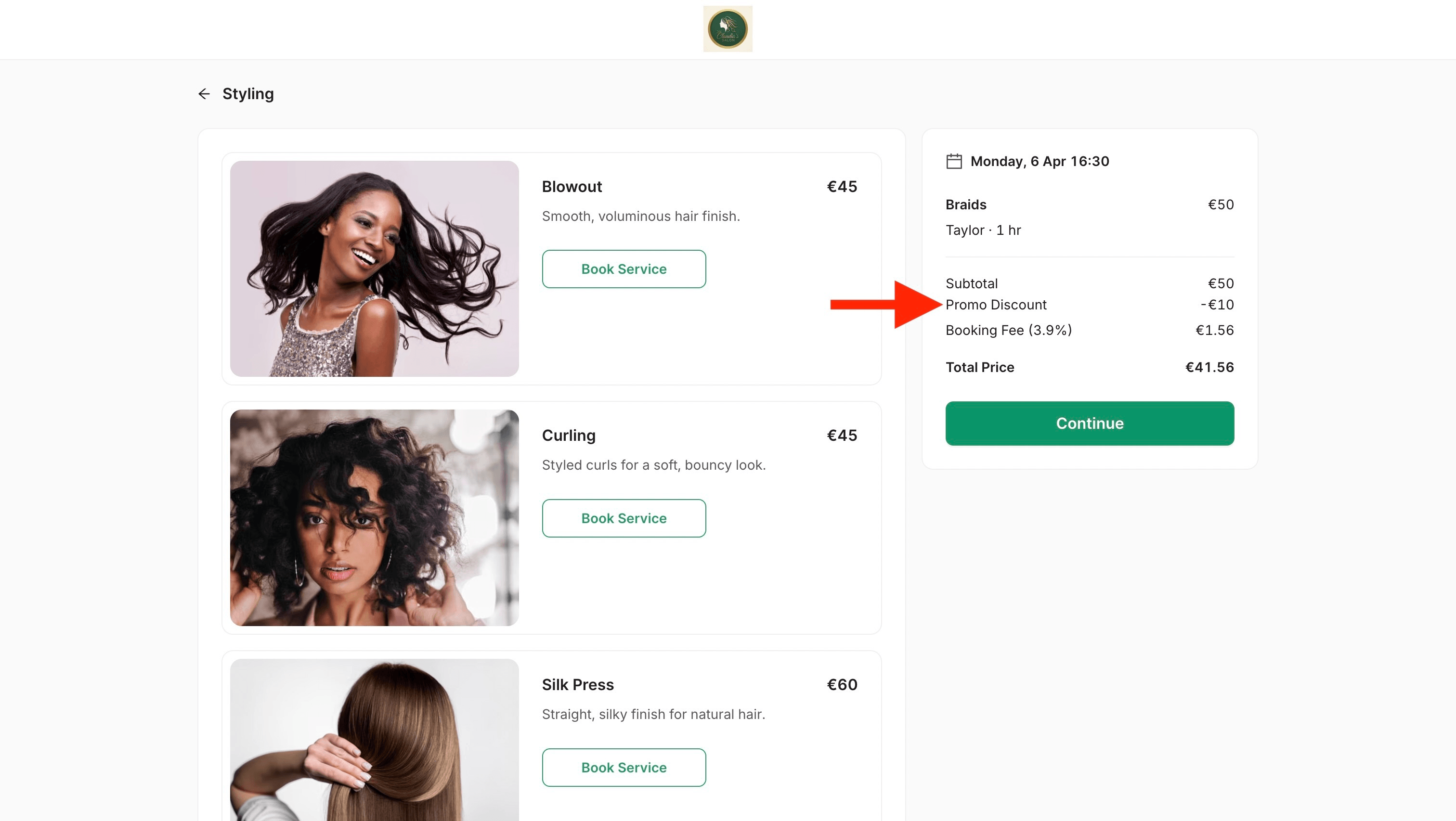
Always! When conditions are met (or if no conditions are set, making the promotion available to everyone), the promotion will be automatically applied once they add a service to their cart:
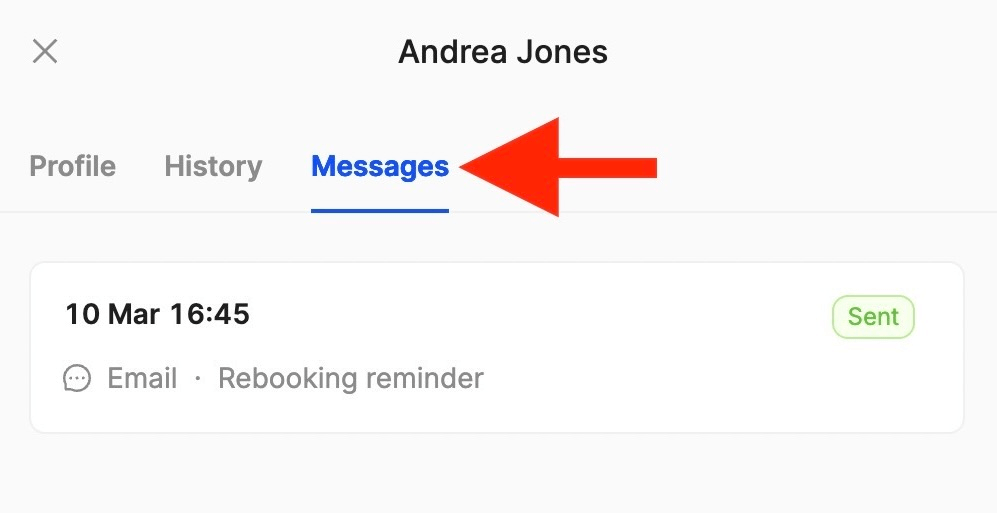
17. Can I see a history of all messages per client?
Of course! You can access the history board by going to Clients, clicking on the one you’re interested in, and navigating to Messages:
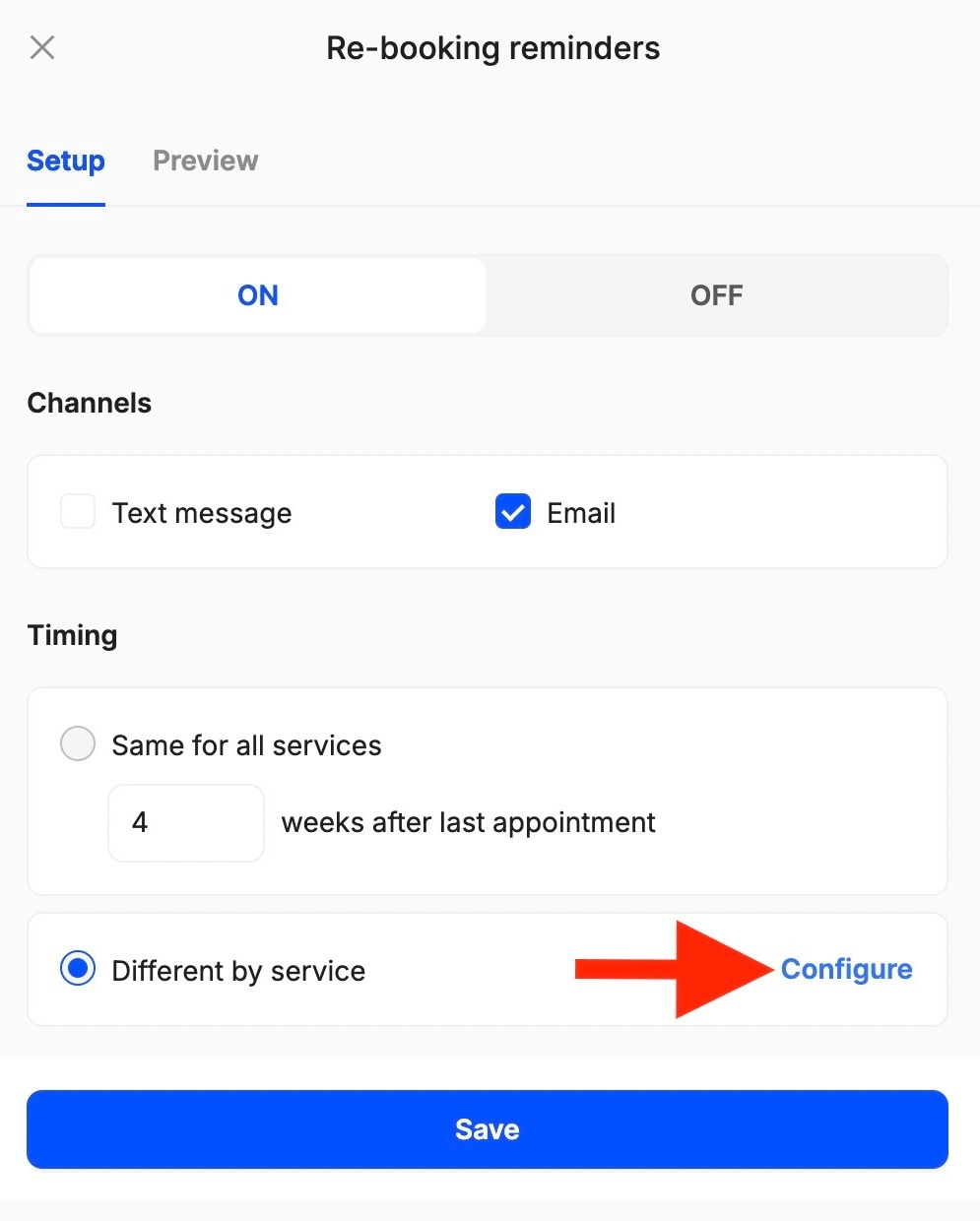
18. Can I set different re-booking nudges for different services?
Yes! Go to Marketing, Re-booking reminders, and click Edit to configure the timing of re-booking nudges for different services:
19. Can I activate multiple promotions at the same time?
Of course! You can set up as many promotions as you want, based on your needs. For example, you can have a “Weekend Special”, a “New Client Welcome”, and a “Loyalty Reward” active at the same time. Just make sure the conditions are set correctly!
20. Can promotions be combined?
Only if you allow it! When you customize the conditions, make sure the “Cannot be combined with other discounts” option is unchecked.
21. Can I set a maximum number of times a promotion can be used per client?
Absolutely! When you set the conditions, you can choose to make the promotion usable once per client or set a maximum total number of uses.
22. Can I set a minimum amount a client needs to spend in order to be able to access the promotion?
Yes! You’ll find a “Minimum cart value” option when setting the conditions. Once they reach that amount, the promotion will automatically be applied at checkout!
23. Do promotions expire automatically after their validity period ends?
Yes! You don’t have to manually deactivate anything. Once the validity period ends, the promotion will no longer apply when customers book services.
24. Are these features good for special occasions (birthdays, anniversaries, holidays, weddings)?
Absolutely! You can create promo codes for any special occasion (“Birthday Treat”, “Christmas Wonder”, “Wedding Glow”), customize them, and make sure they’re shared only with the customers you value most.
25. Can I create promotions only for high-spending clients?
Of course! You can always set promotions with a minimum cart value or create customized promo codes such as “VIP Reward” or “Exclusive Thank You” for top spending customers.
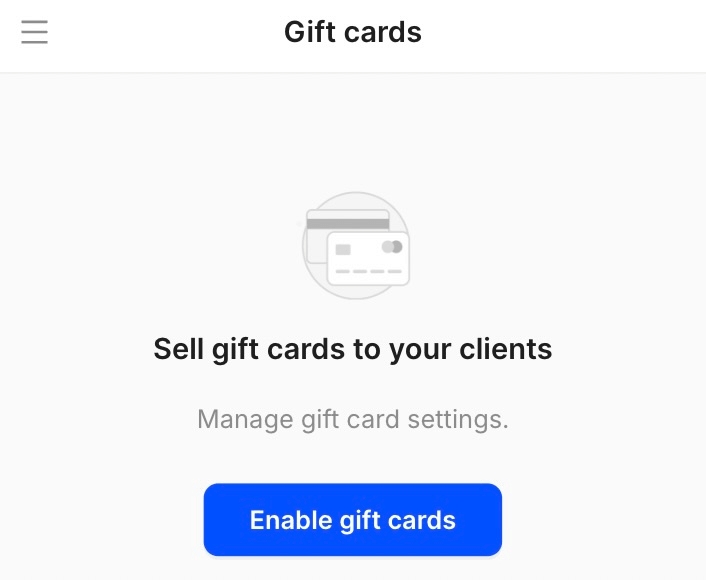
26. Can I sell gift cards?
Yes! You can activate gift cards by going to the Gift Cards section and clicking Enable gift cards:
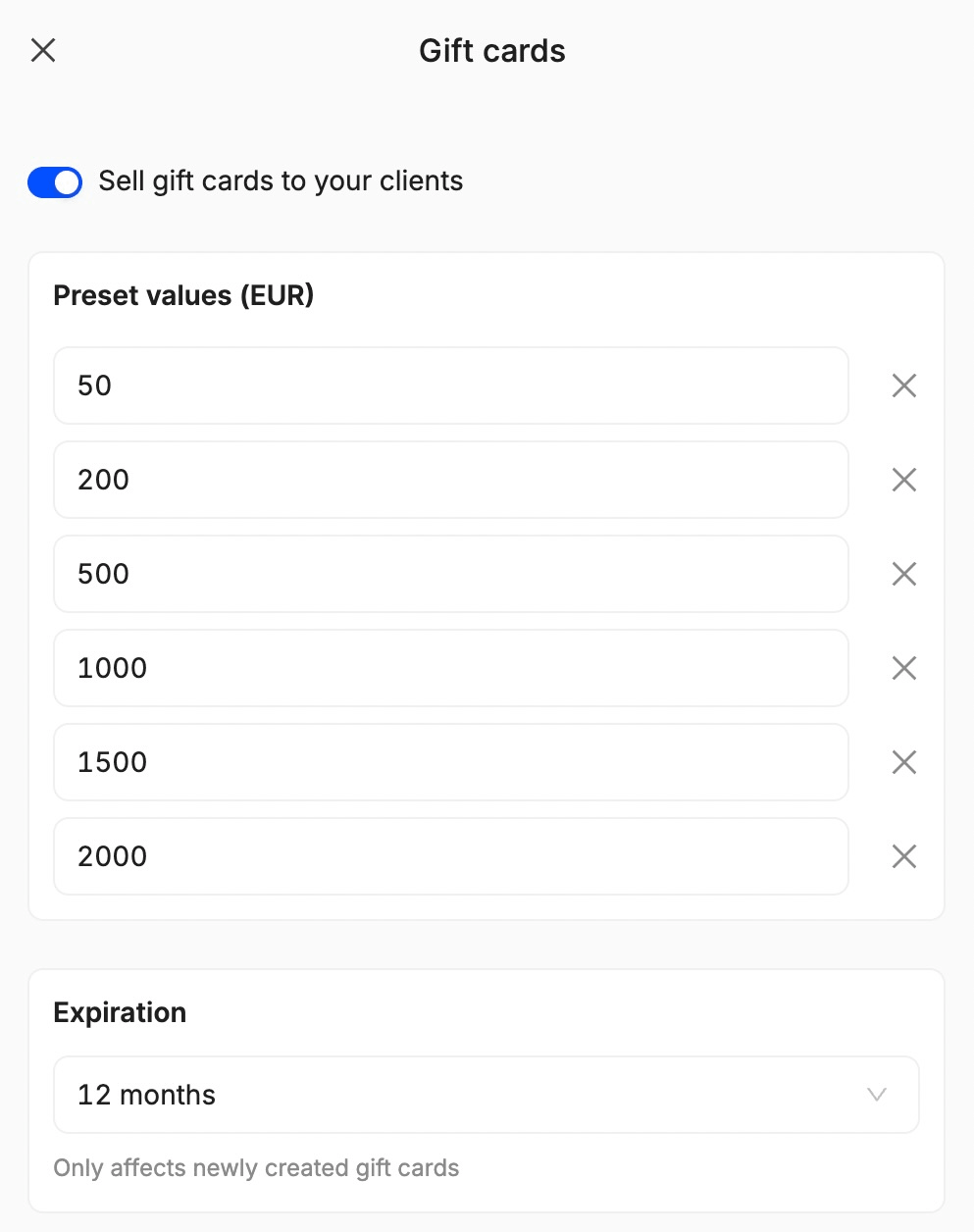
After, choose up to 6 preset values and set a validity period for your gift cards! If you need to change the terms after activation, go to Settings, Sales, and click Edit:
27. How are gift cards redeemed?
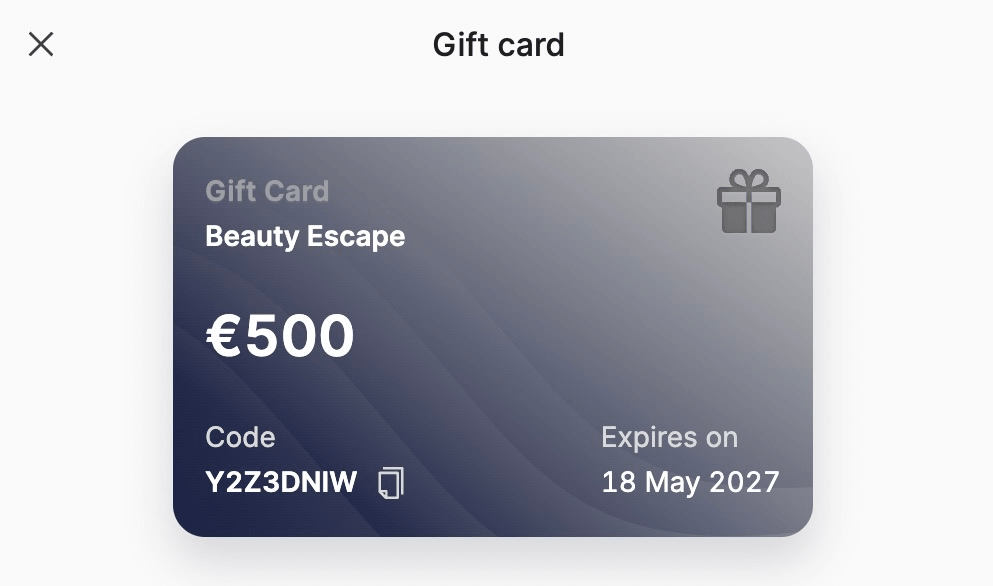
Once a gift card is created and sent, the one receiving it will be able to use it through a unique code applied at checkout:
28. What happens if the booking total is higher than the gift card balance?
If the total is higher than the gift card balance, the remaining amount can be paid using another payment method at checkout.
29. Where can staff view remaining gift card balances?
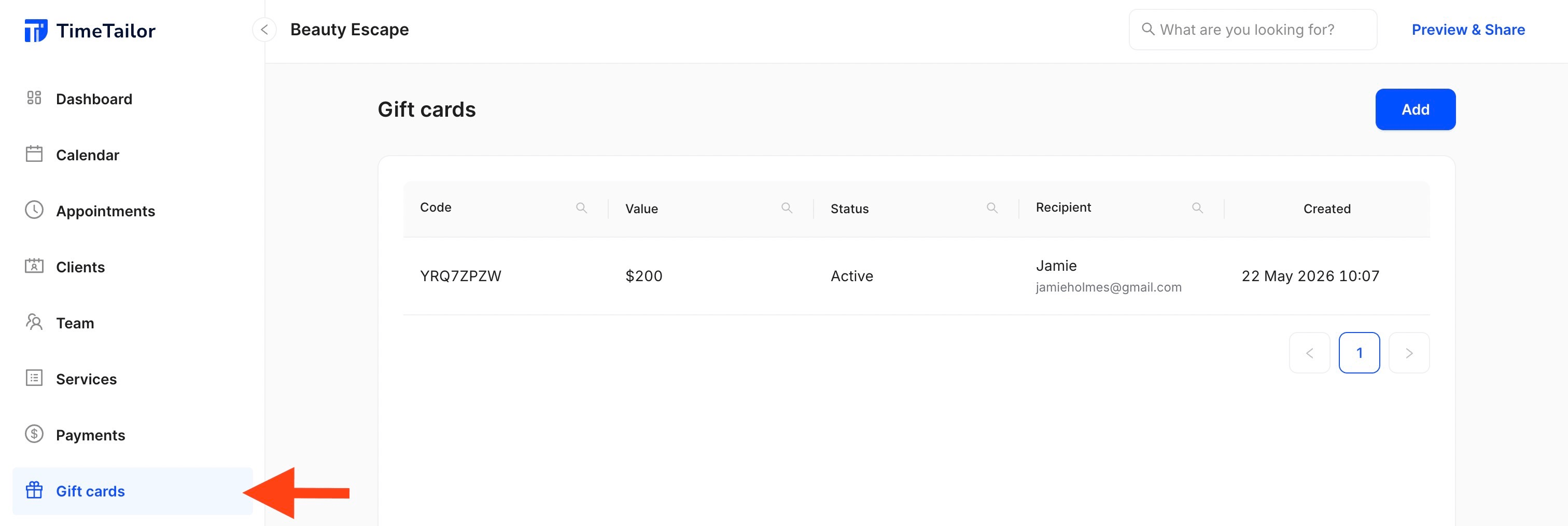
All gift cards will be visible inside the admin panel, along with their codes, values, status (active, used, expired), recipient, and date created, so salon owners and managers can check everything in seconds:
30. Can personal messages be attached to the gift cards?
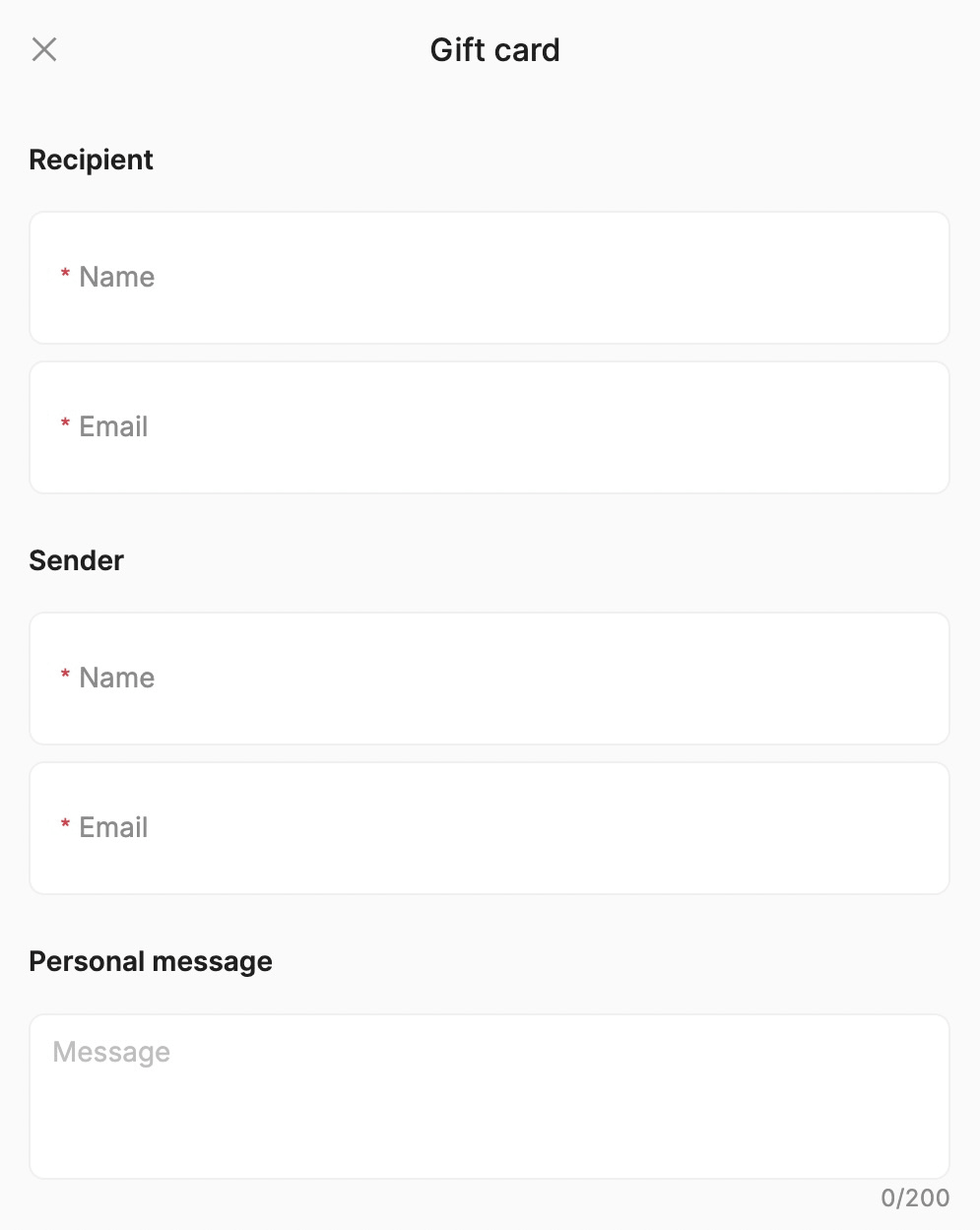
Of course! When adding a new gift card, you can provide recipient and sender details, along with an optional customized message:
31. How do I update a client’s contact information?
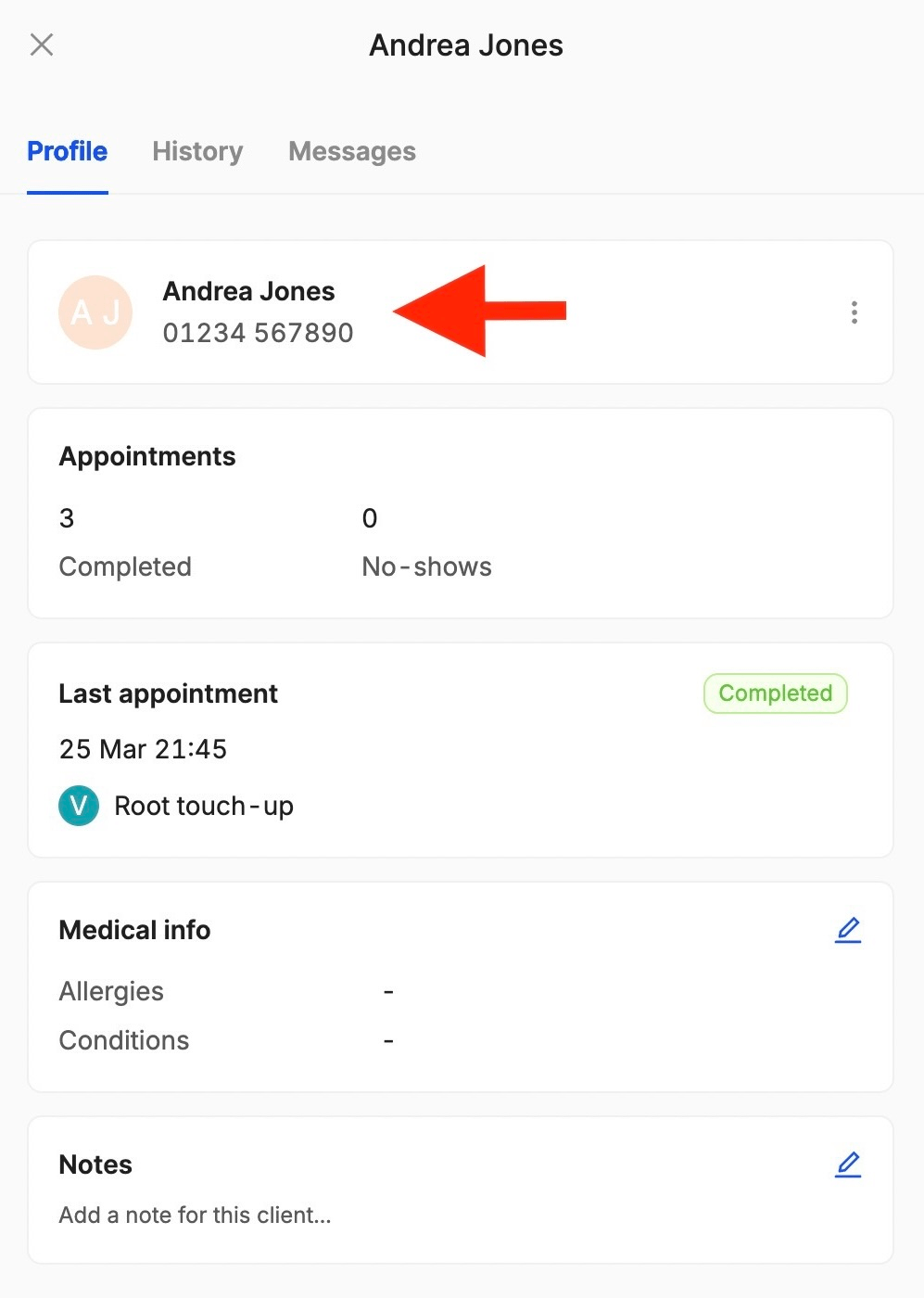
To make sure messages always end up in the right place, you can update your client’s information from the Clients section:
32. What should I do if clients are not receiving their reminders and re-booking nudges?
If you have any issues with the auto-messages, please contact the customer support team via live chat for assistance. They’ll be able to investigate and resolve the issue in no time!
33. My clients can’t use the promotions, what do I do?
If promotions don’t show up in the cart or clients encounter errors when applying a promo code at checkout, please contact the customer support team via live chat for assistance. They’ll be able to investigate and resolve the issue in no time!
Send your details - we do the rest!
We offer all you need for a thriving salon: website & logo creation, instant profile setup, 1:1 staff training payment system integration, intuitive appointment management, and more!
Start Now
TimeTailor’s salon appointment software is an all-in-one salon online booking system for freelancers and small business owners. We also optimize or create a website for your salon. This POS system allows you to take deposits and manage payments.