Frequently Asked Questions About The TimeTailor Salon POS System
Everything you need to know about the best salon POS!
1. How does the TimeTailor salon POS work?
Our salon POS system is designed for beauty businesses of all sizes! Instead of a traditional cash register setup, our automated solution works directly from your device. After you set up an account, everything is connected to your calendar, so the POS is ready for checkouts!
2. Do I need a different app for the POS function?
No! It’s all included in the TimeTailor salon appointment app. All you need to do is install it on your device, and you’re set!
3. What hardware do I need to start accepting payments?
None! All you need is a smartphone with the TimeTailor app installed and internet connection. The device becomes the POS terminal, so you can manage bookings and payments in the same place.
4. How do I enable payments?
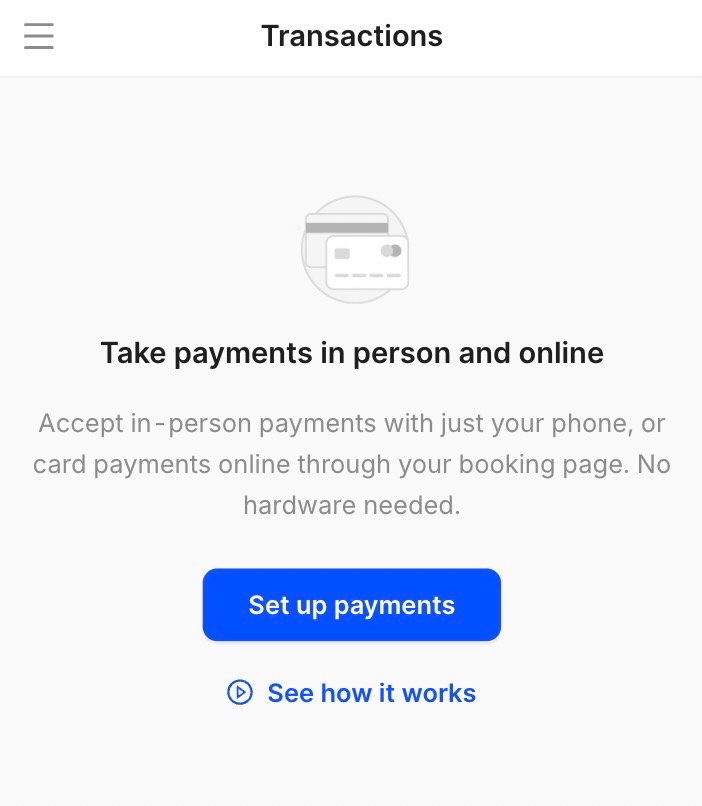
After downloading the app, creating your salon account, and completing the onboarding steps, you can go to the Payments section to add all your information:
5. How does the small 3.9% online booking fee work?
Our system is free for manual appointments, so salon owners can manage their schedule and clients in one place. This includes unlimited staff & experts. For online bookings only, clients pay a small 3.9% booking fee at checkout, keeping the platform free for beauty professionals.
If the client pays online, the 3.9% fee is deducted automatically. You will receive 100% of your listed service price, minus card fees.
If the client pays in person, you will collect the amount, including the small 3.9% fee. The fee will then be charged to your card at the end of the month.
6. What payment methods do you support?
With TimeTailor, you can accept a variety of payments from your clients: tap to pay, credit and debit cards, mobile wallets, card-on-file, and cash transactions!
7. Can I accept contactless or mobile payments?
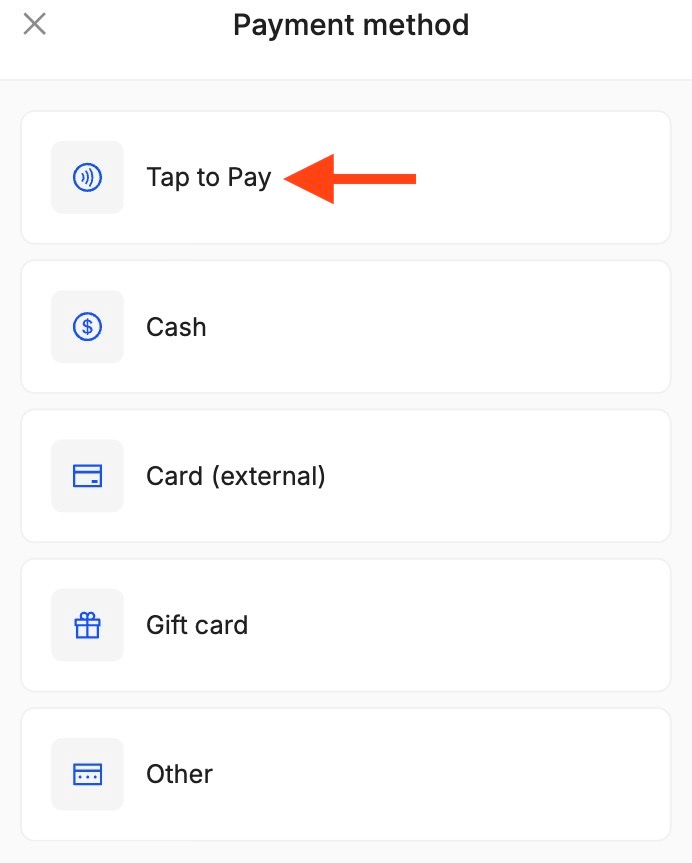
Of course! TimeTailor supports the Tap to Pay system, where the phone itself acts as the payment terminal. You can directly accept contactless payments and mobile wallet payments on Android devices, no extra hardware needed.
8. How can I check a client out?
To complete the checkout for a client, go to the Appointments section, select the booking you want to close, and click on Checkout:
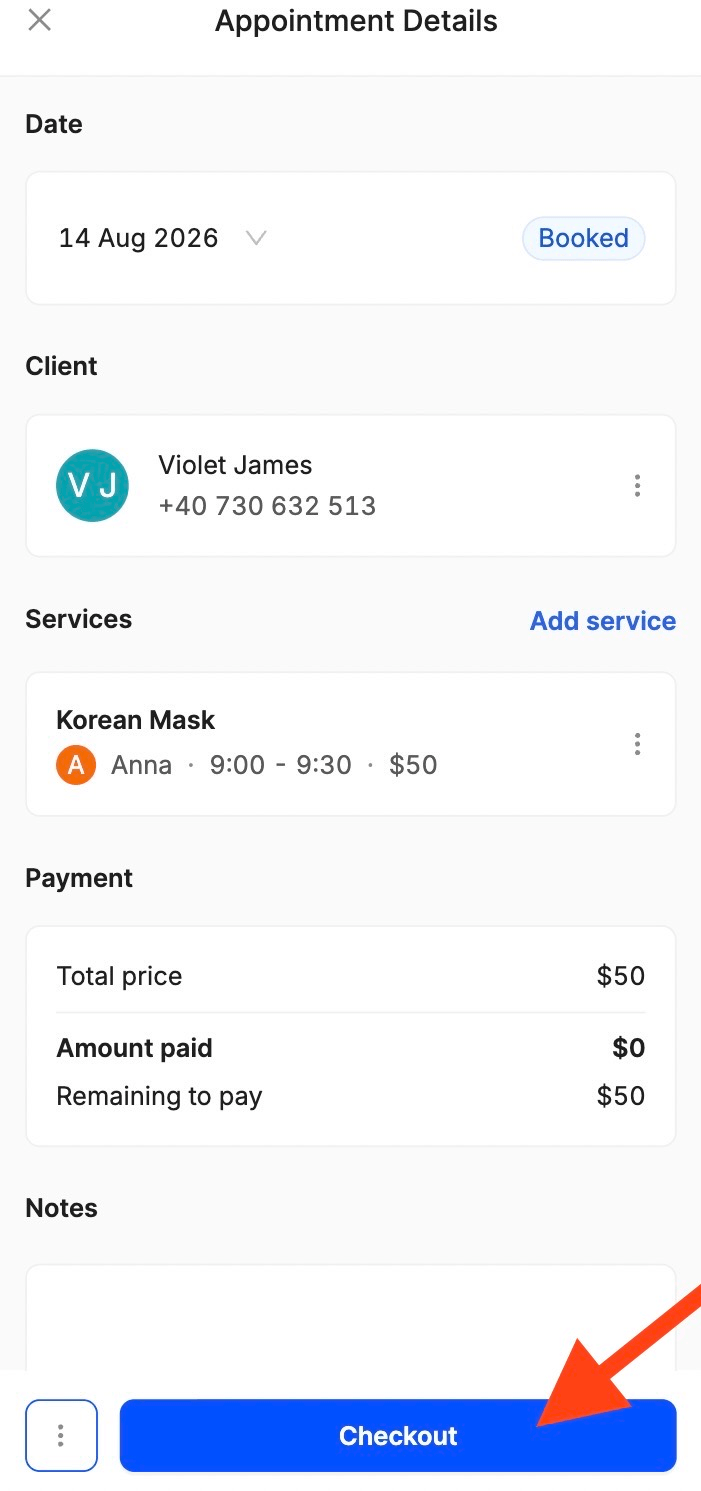
From here, you can select a payment method (tap to pay, cash, card, gift card, or other) and confirm the payment:
9. Can I accept cash payments at the salon?
Of course! When you check a client out, you can choose cash as the payment method:
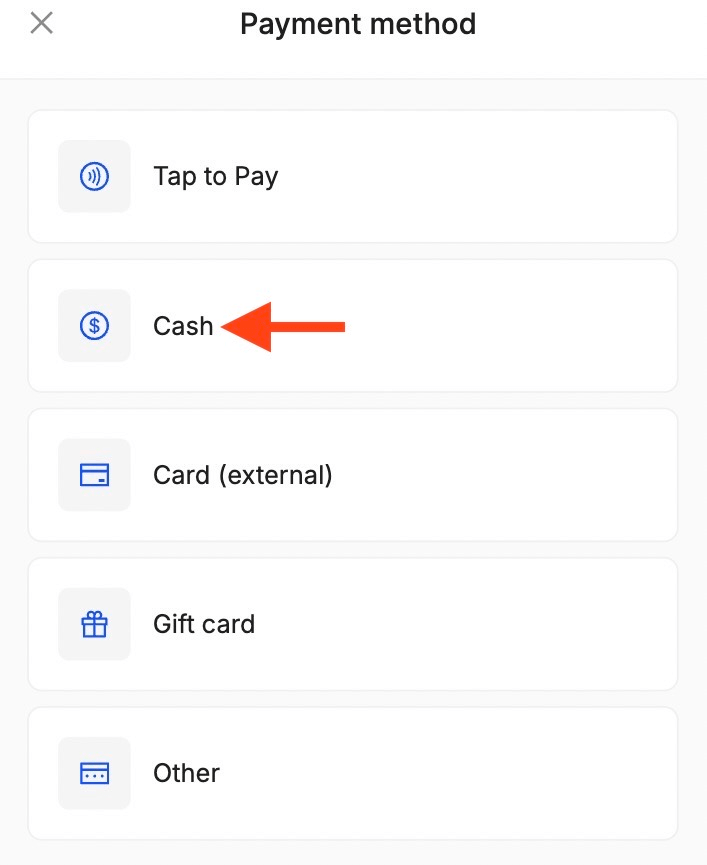
If the booking was made online and the client decided to pay at the salon, you will collect the amount including the small 3.9% booking fee. After, the fee will be charged to your card at the end of the month. This doesn’t apply to manually added appointments.
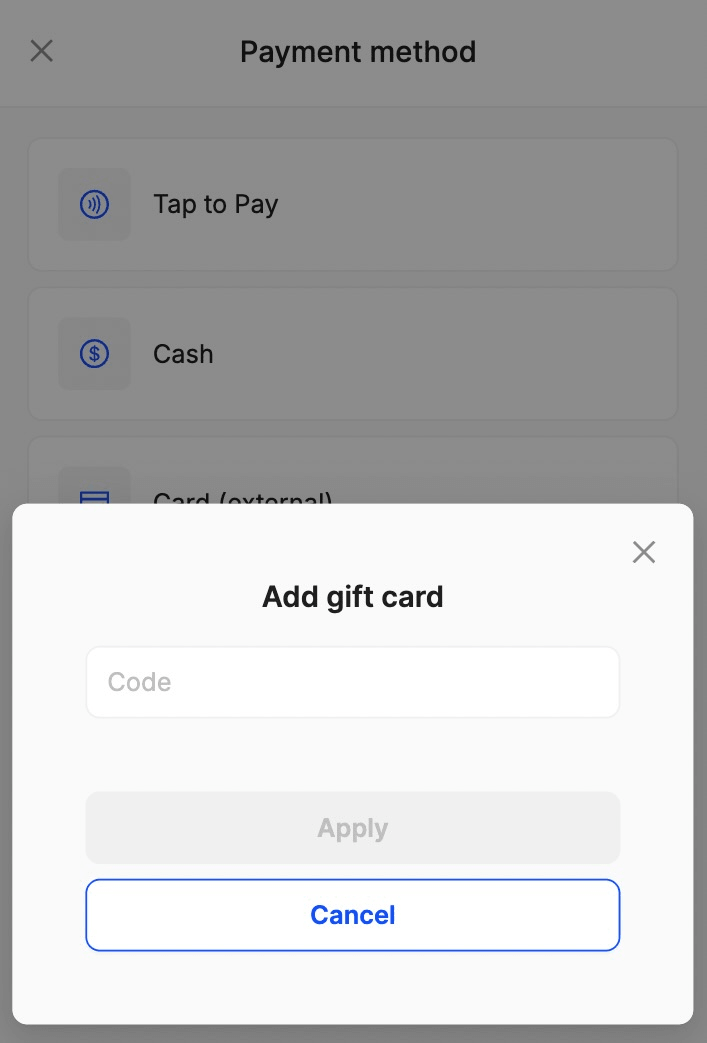
10. Can clients pay using gift cards?
Of course! After clicking Checkout, just select Gift Card as a payment method and insert the unique code:
11. Can I send digital receipts?
Yes, TimeTailor supports email receipts as part of the payment and checkout process! The digital receipt shows payment details (amount, services, other transaction information) just like a printed one, but it’s delivered electronically, so you don’t need to use paper unless you want to. This is faster, environmentally friendly, and makes tracking past payments easier!
12. Do you provide a card-on-file function?
Yes! You can securely save a client’s card details when they pay for an online booking and use the information for the remaining balance or future payments at checkout later. This way, your loyal clients don’t have to re-enter all the details for every appointment.
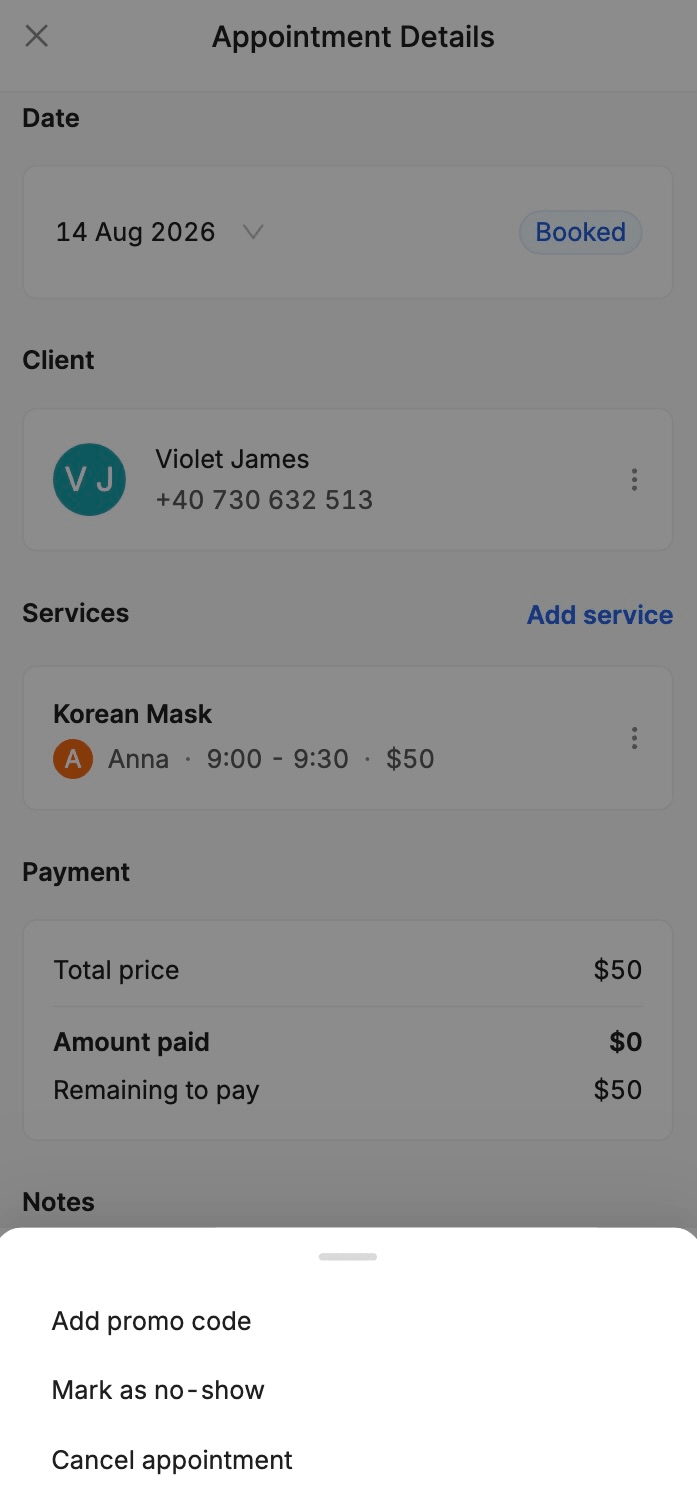
13. What happens when I have a cancellation or a no-show?
If an appointment has been made and the client cancelled it or is a no-show, you can go to Appointments, open the settings, and click on the option that applies to your case:
14. Can I take deposits when clients book online?
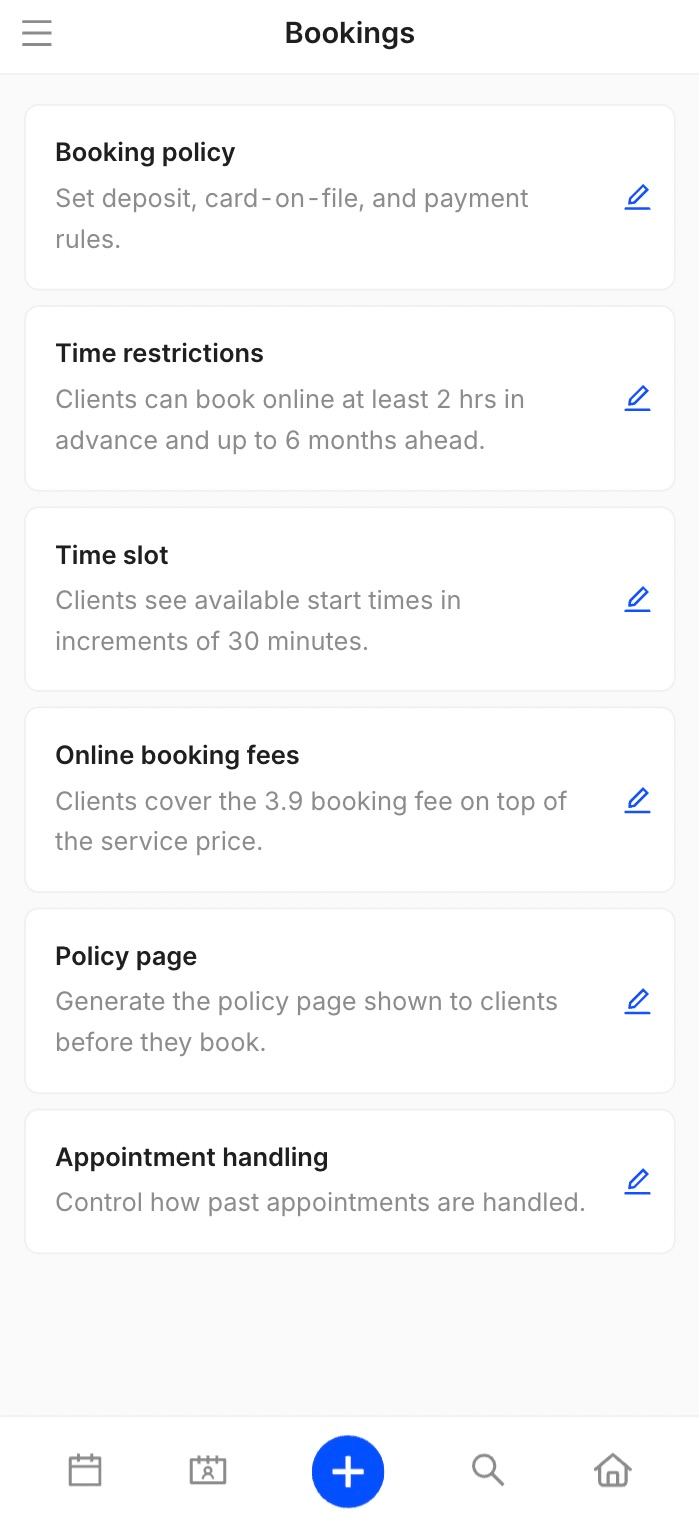
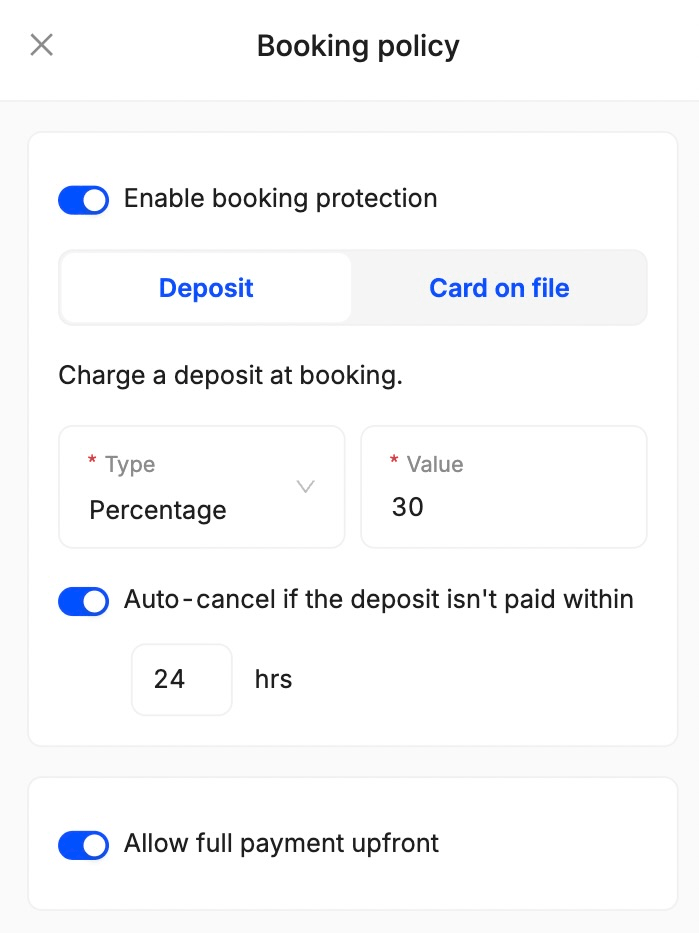
Of course! To activate deposits, go to Settings, Bookings, Booking Policy, and click on Edit:
From here, you can choose the type of deposit (percentage or fixed amount), set its value, decide whether you allow full payments instead of deposits or not, and specify how much time clients have to pay before the appointment is cancelled:
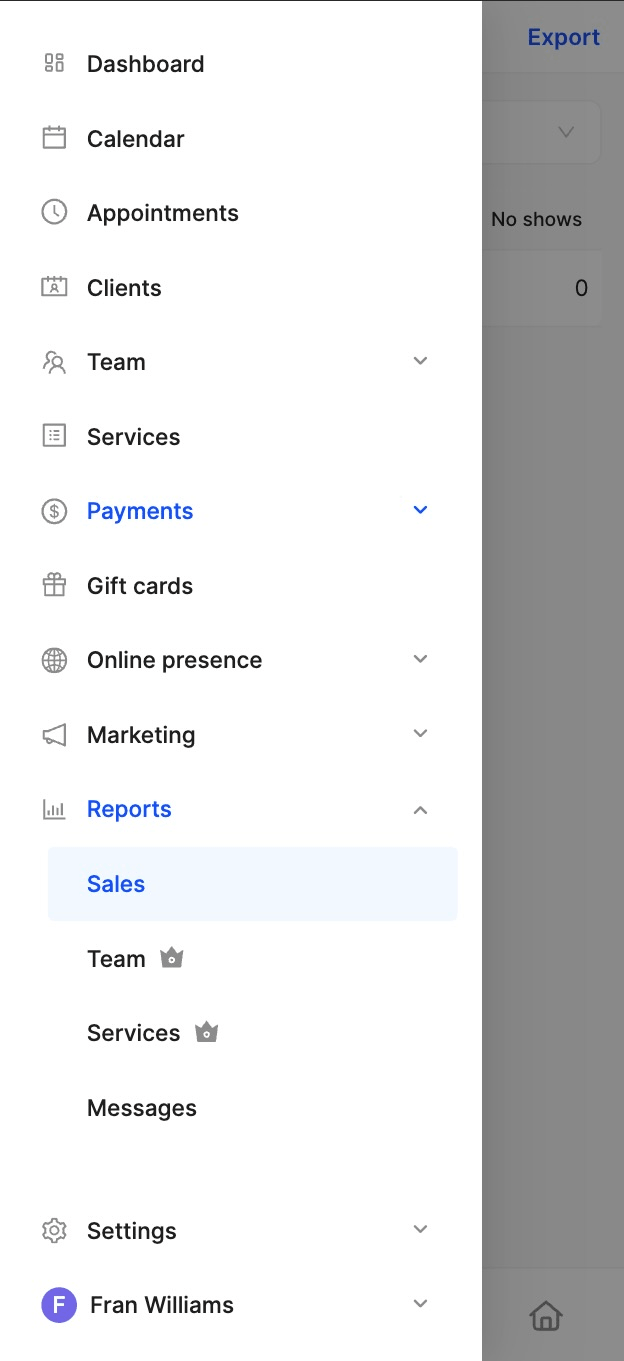
15. Can I access sales reports?
Yes! You can see and export the sales reports inside the Reports section:
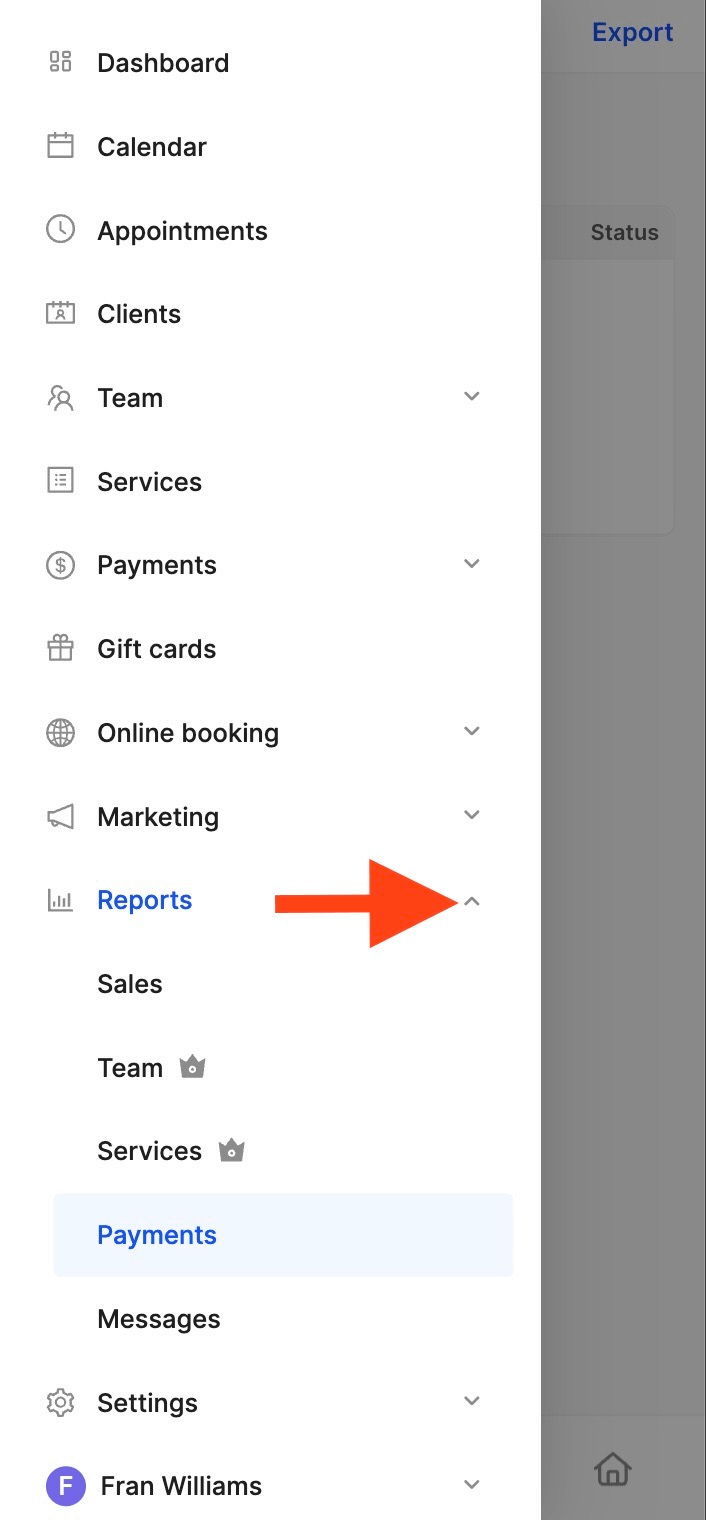
16. Can I see all payments in the same place?
Of course! Once you’re inside the Reports section, just click on Payments:
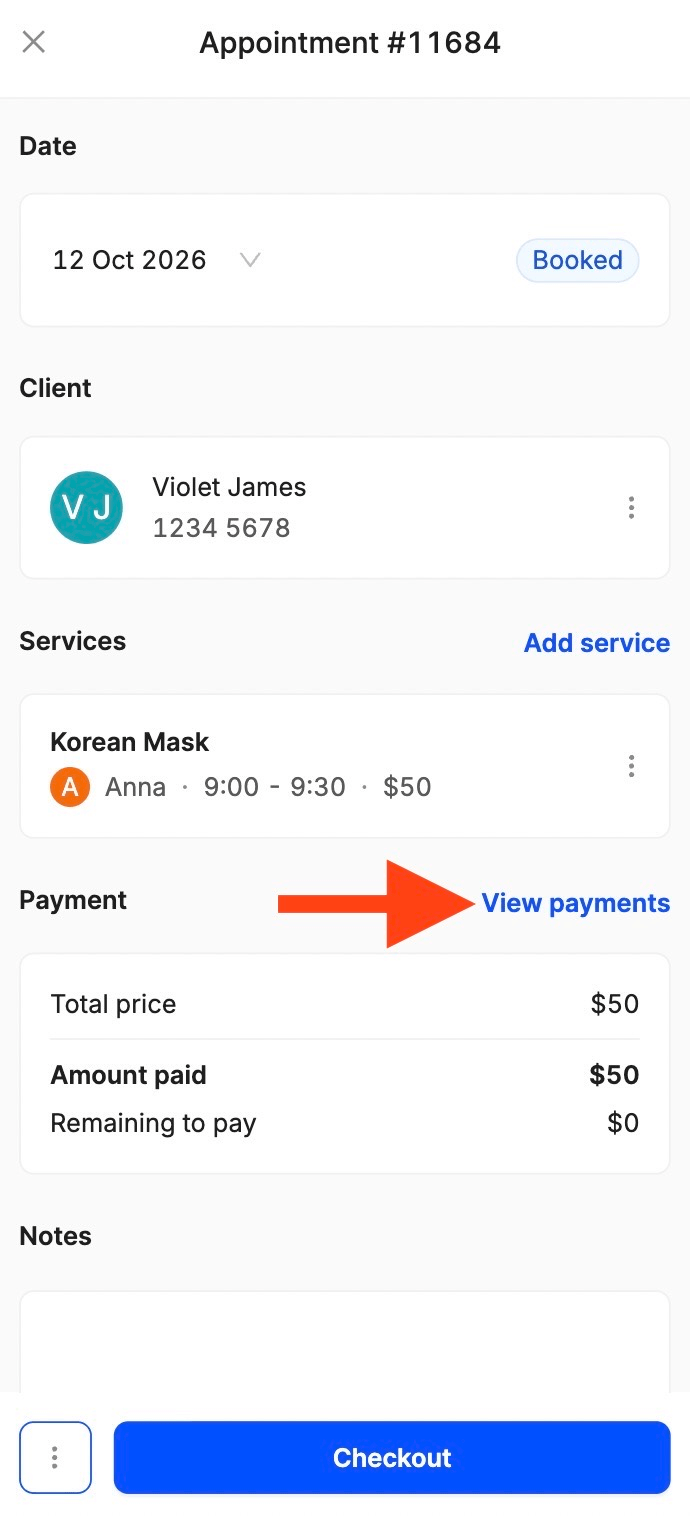
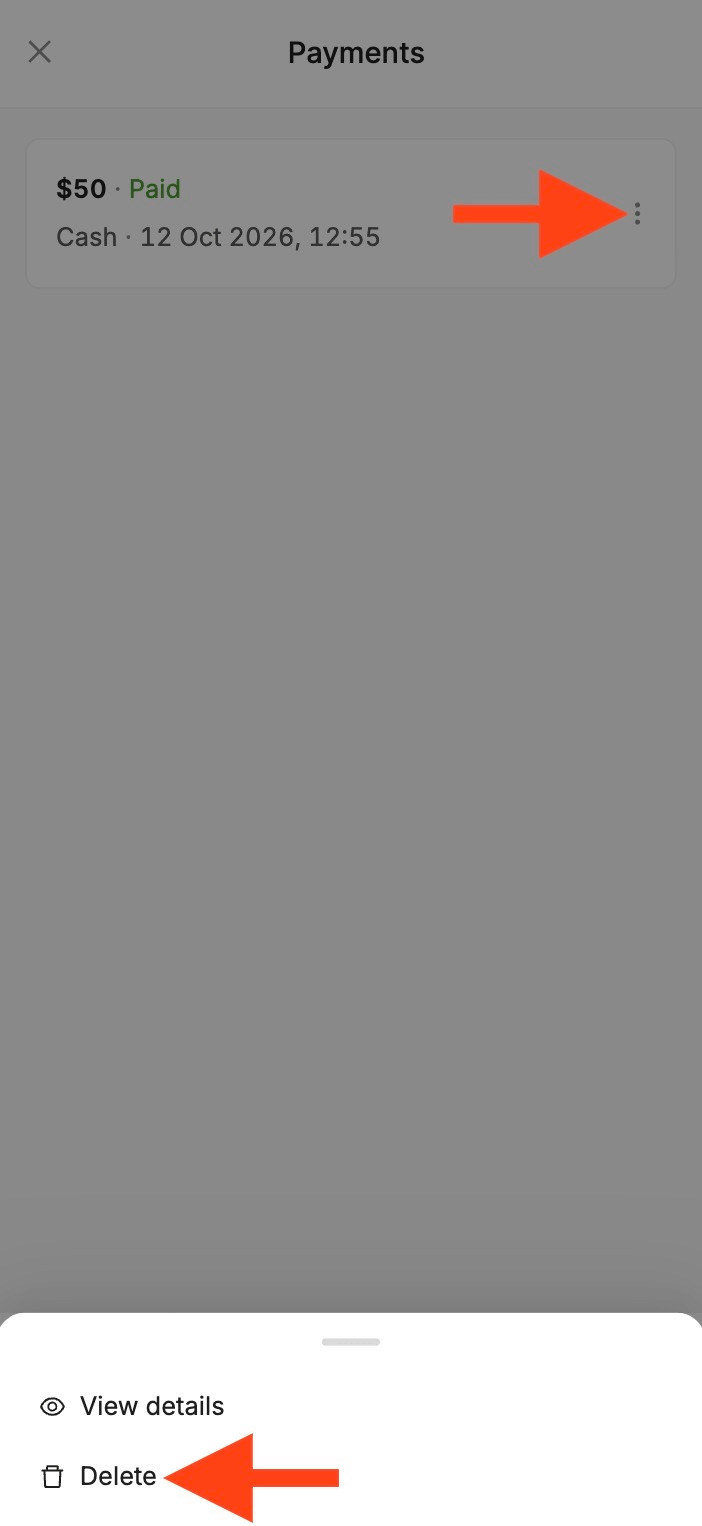
17. Can I edit the payment method of an appointment?
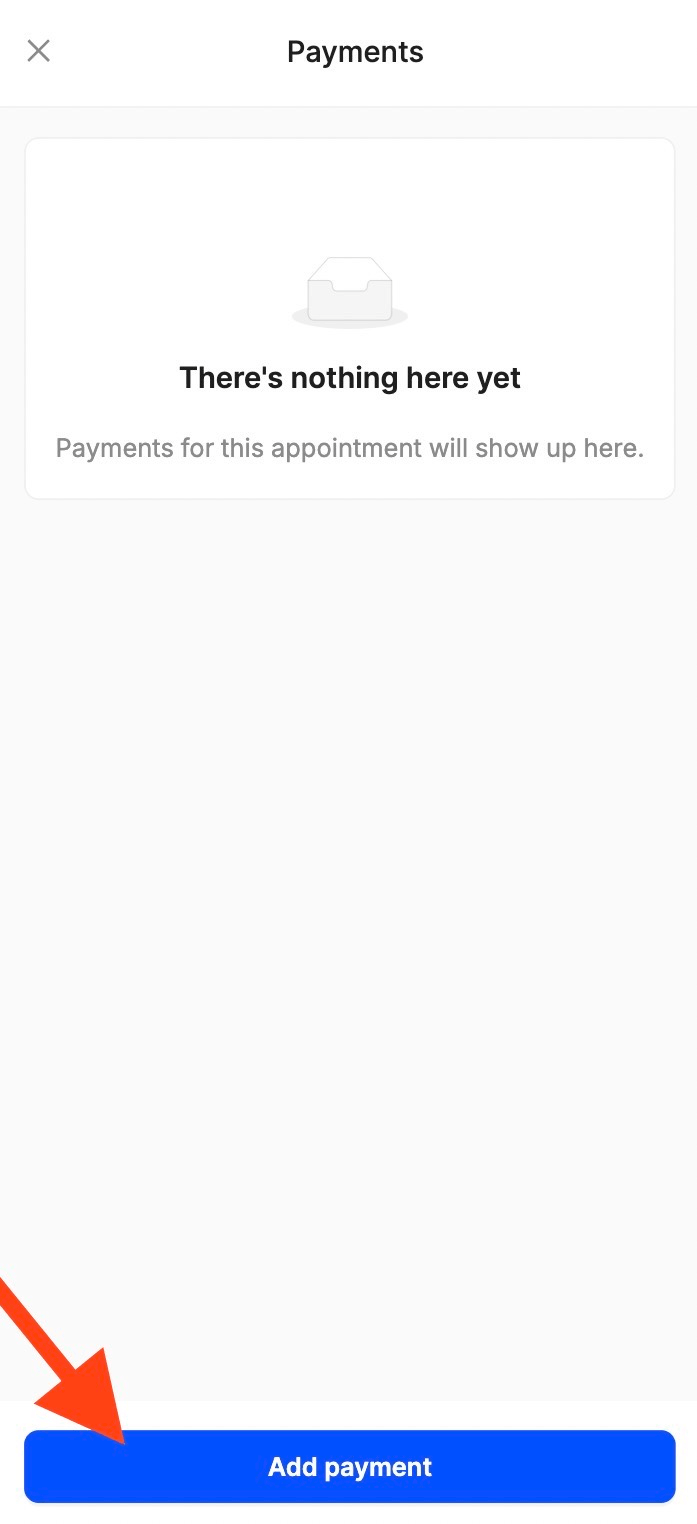
You can change the payment method from the View payments section inside the appointment details. Simply delete the existing manually recorded payment, then click Add payment to replace it with the correct one:
18. Can I accept international cards?
Of course! For processing card payments and payouts, we have partnered with Stripe, which supports major international brands such as Visa, Mastercard, American Express, China UnionPay, JCB, and more. Stripe processes the payment, converts it to your currency, and deposits it into your account. Just make sure your account is set up correctly!
19. Do you support multiple currencies?
Yes! Stripe supports over 135 currencies and many local payment methods, making it the perfect solution for businesses all over the world.
20. Do you charge any transaction fees?
No! As a separate payment processor, Stripe applies its standard processing fees independently.
21. Can I edit past appointments?
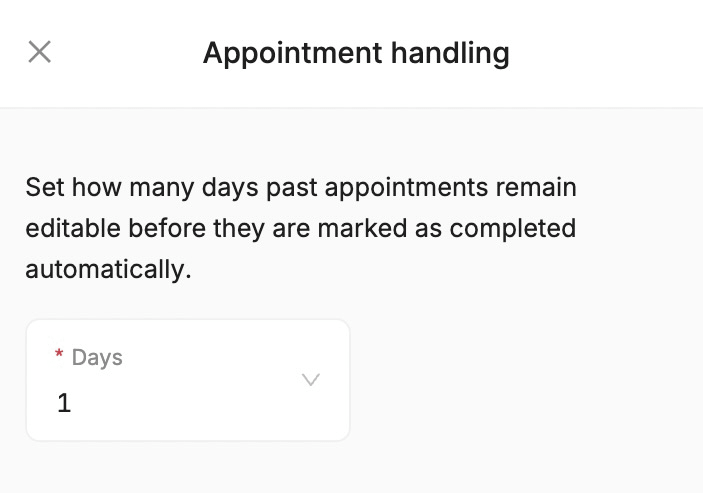
Of course! If you go to Settings, Bookings, Appointment Handling, you’ll be able to set how many days past appointments remain editable before they’re marked as completed:
22. Can I issue a refund if the appointment has been marked as completed?
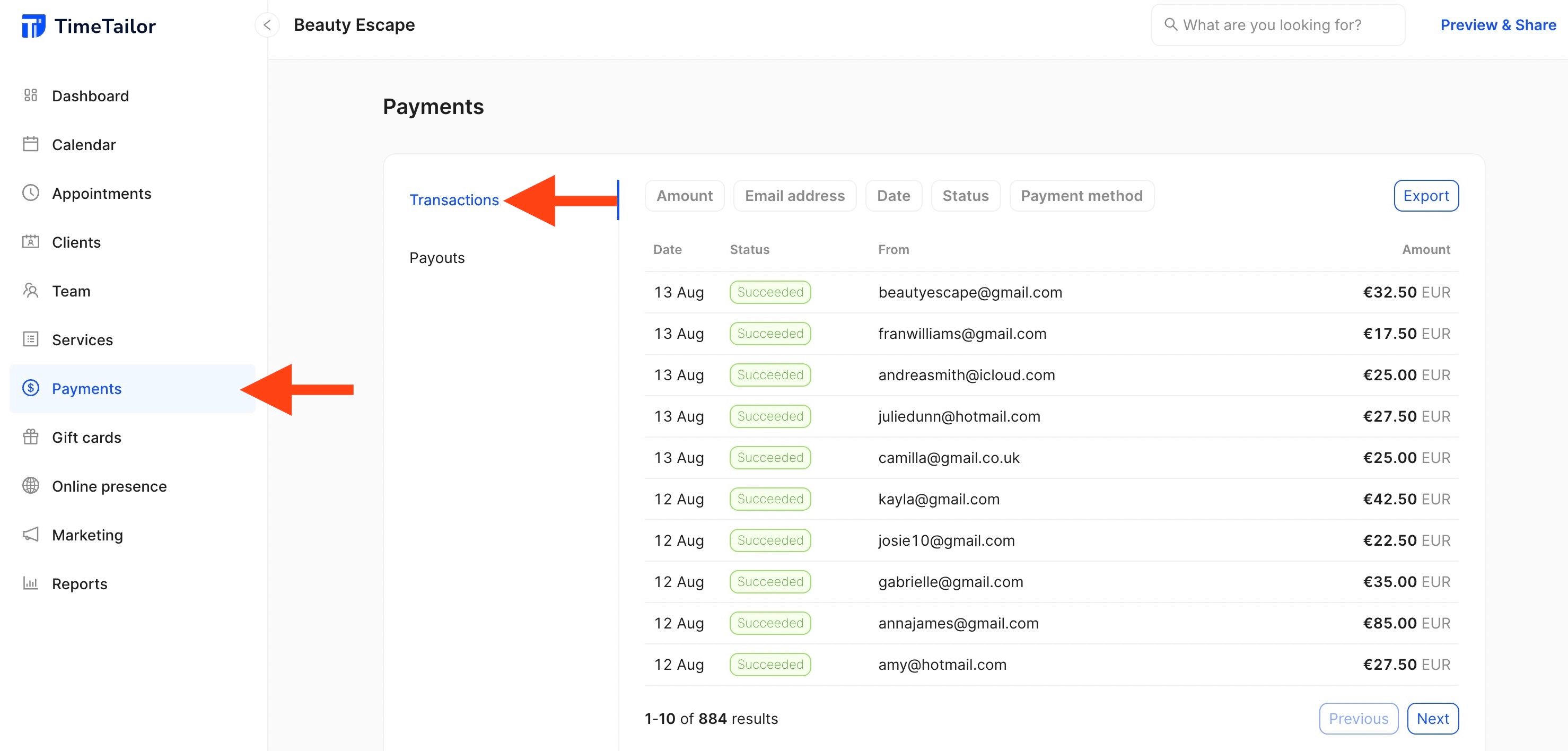
Yes! If a payment was completed online, you can issue a refund by going to Payments, Transactions:
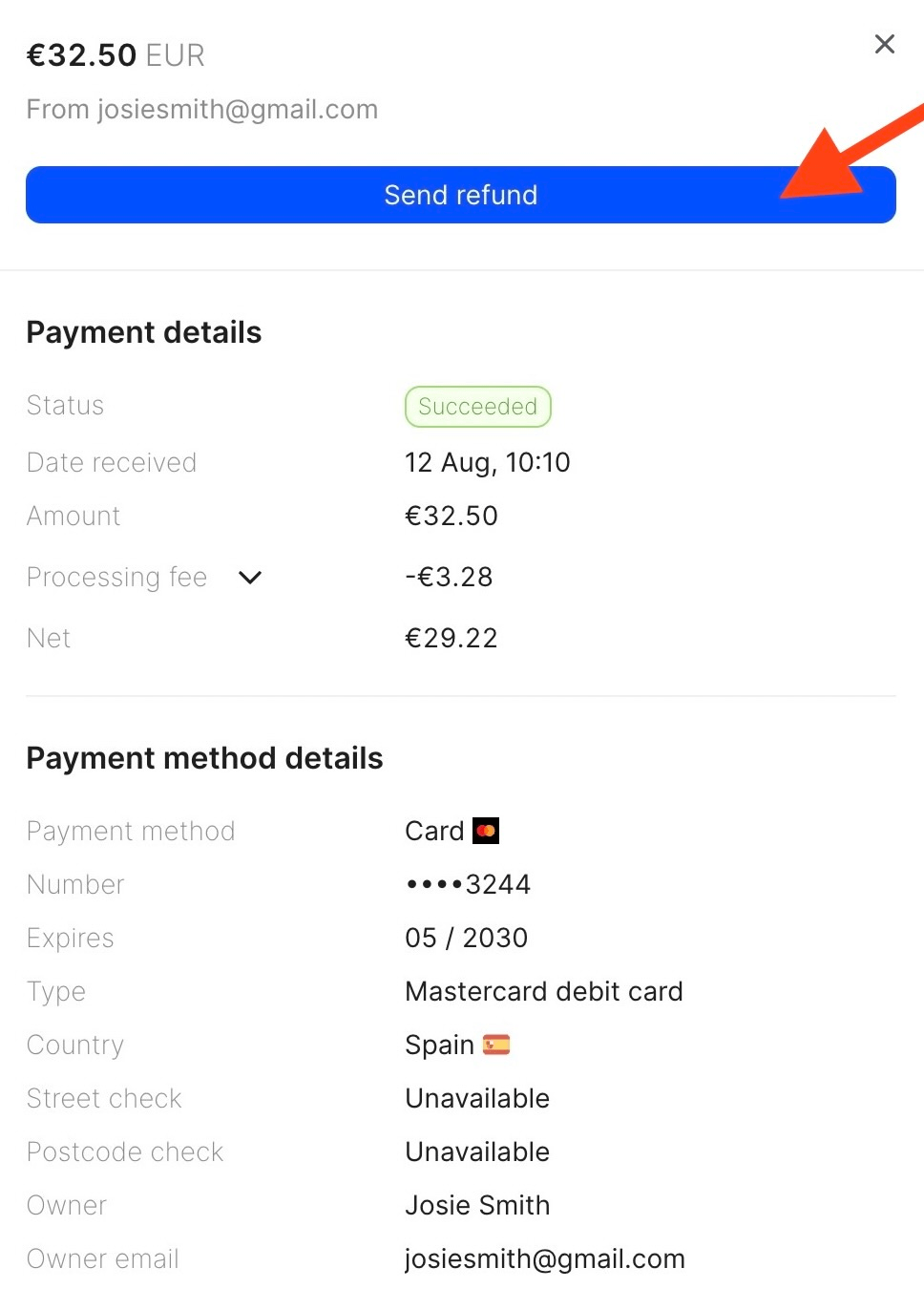
From here, open the transaction and click on Send Refund:
23. Is the salon POS software available in my country?
You can find out more about our country availability list here. If your country isn’t listed, you can always check whether Stripe supports your country and local currency or not, and send us a message in the live chat.
24. Is this payment system safe?
Yes! We securely handle all your data while card payments go through Stripe, one of the world’s largest and most trusted payment processors. Stripe is certified as a PCI Level 1 Service Provider, the highest level of security certification in the industry. That helps ensure card transactions are encrypted, protected, and processed safely.
25. I’m having an issue with the POS system, what do I do?
If you encounter any problems while using our payment system, please contact the customer support team via live chat for assistance. They’ll be able to investigate and resolve the issue in no time!
Send your details - we do the rest!
We offer all you need for a thriving salon: website & logo creation, instant profile setup, 1:1 staff training payment system integration, intuitive appointment management, and more!
Start Now
TimeTailor’s salon appointment software is an all-in-one salon online booking system for freelancers and small business owners. We also optimize or create a website for your salon. This POS system allows you to take deposits and manage payments.