Frequently Asked Questions About The Booking Page Feature
Everything you need to know about the booking page provided by our salon booking software!
1. How do I create an online booking page?
Once your account setup is complete (business details, opening hours, staff members, services), your booking page will pull this information automatically. To start taking appointments, all you have to do is activate the online booking function!
2. How can I activate online bookings?
You can activate online bookings by going to the Online Presence section, selecting Booking Page, and clicking on Activate Booking Page:
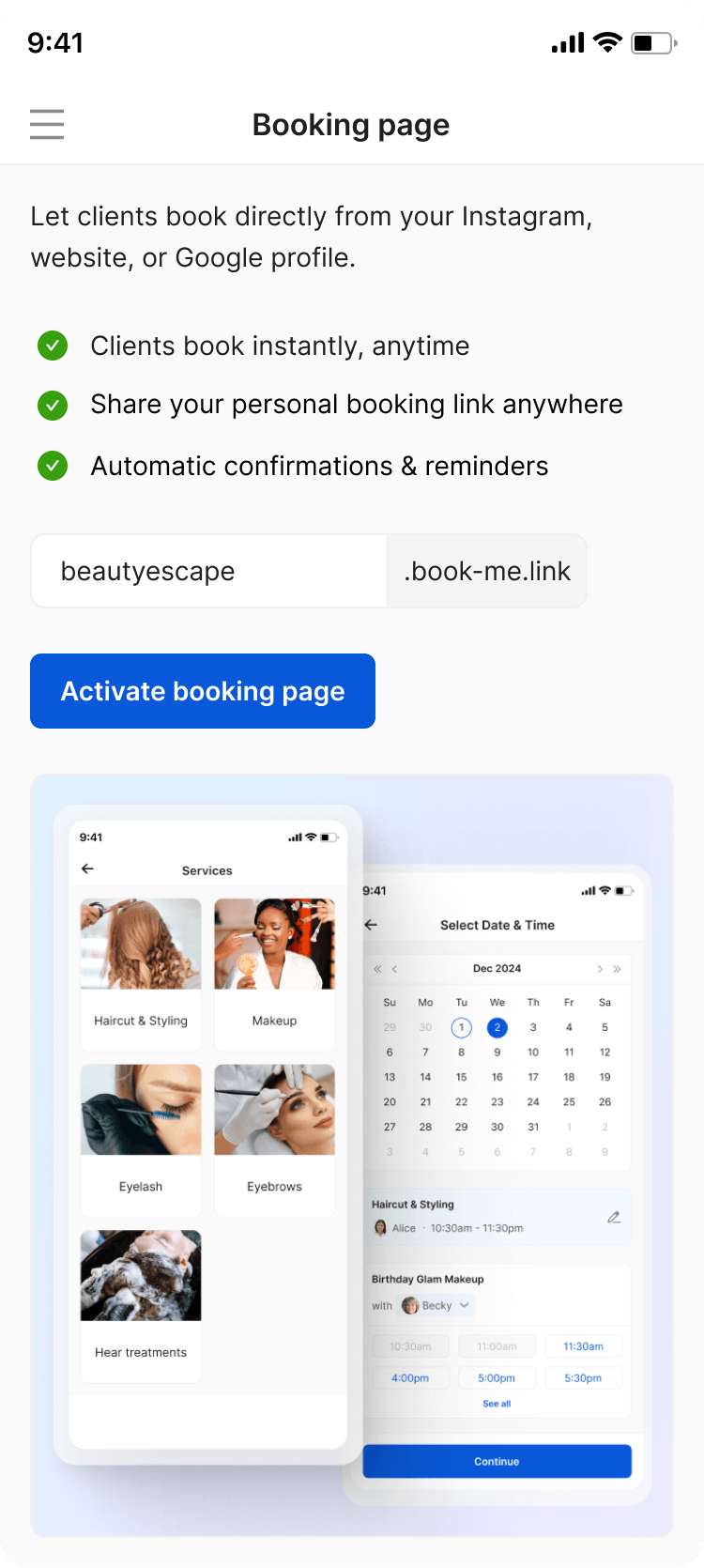
Don’t forget to customize your unique booking link before completing the activation!
3. Why is it recommended to provide online booking?
In today’s world, providing online booking is one of the biggest drivers of growth for salons. This feature allows clients to book late at night or early in the morning without contacting you directly, reduces no-shows through reminders and deposits, saves time on calls and messages, and helps increase bookings while supporting marketing efforts!
4. Is my booking page live immediately after setup?
Yes! Your booking page becomes active as soon as you finish adding your services, set the working hours, and enable online booking! From that point on, you can start using your booking link to accept appointments.
5. How do I share my booking page with clients?
Because of the customized and unique booking link, you can put it wherever your clients are more likely to see it! This means WhatsApp, messages, emails, DMs, social media profiles, website, paid ads, and anything else you might use!
6. Do I have a custom URL for my booking page?
Of course! You can customize your unique URL when you activate the online booking function.
7. How do customers book appointments through my page?
You can share your booking link anywhere you need. Once they open the link, customers can browse your service menu, select what they want, choose a date and time, pick a staff member, enter their contact details (name, phone number, email), and confirm the appointment. You can also set up deposits as confirmation and offer the option of paying the full amount online! The appointment is instantly added to your calendar, and the client receives a confirmation. You also have the option of activating reminders, so they never forget to show up.
8. Are there limits on bookings?
No! Each time slot is tied to a service duration and a staff member. You’re the one controlling the working hours, time-offs, and staff schedules, which automatically limits how many bookings can be made each day. TimeTailor doesn’t stop new bookings because of a total daily, weekly, or monthly count!
9. Will customers receive confirmation emails?
Yes, customers automatically receive confirmation emails after they book!
10. Do customers need an account to book?
No! Each salon is provided with its unique booking link. TimeTailor doesn’t support the marketplace model, and doesn’t use your client’s information to redirect them or promote competing businesses.
11. Can I preview my booking page?
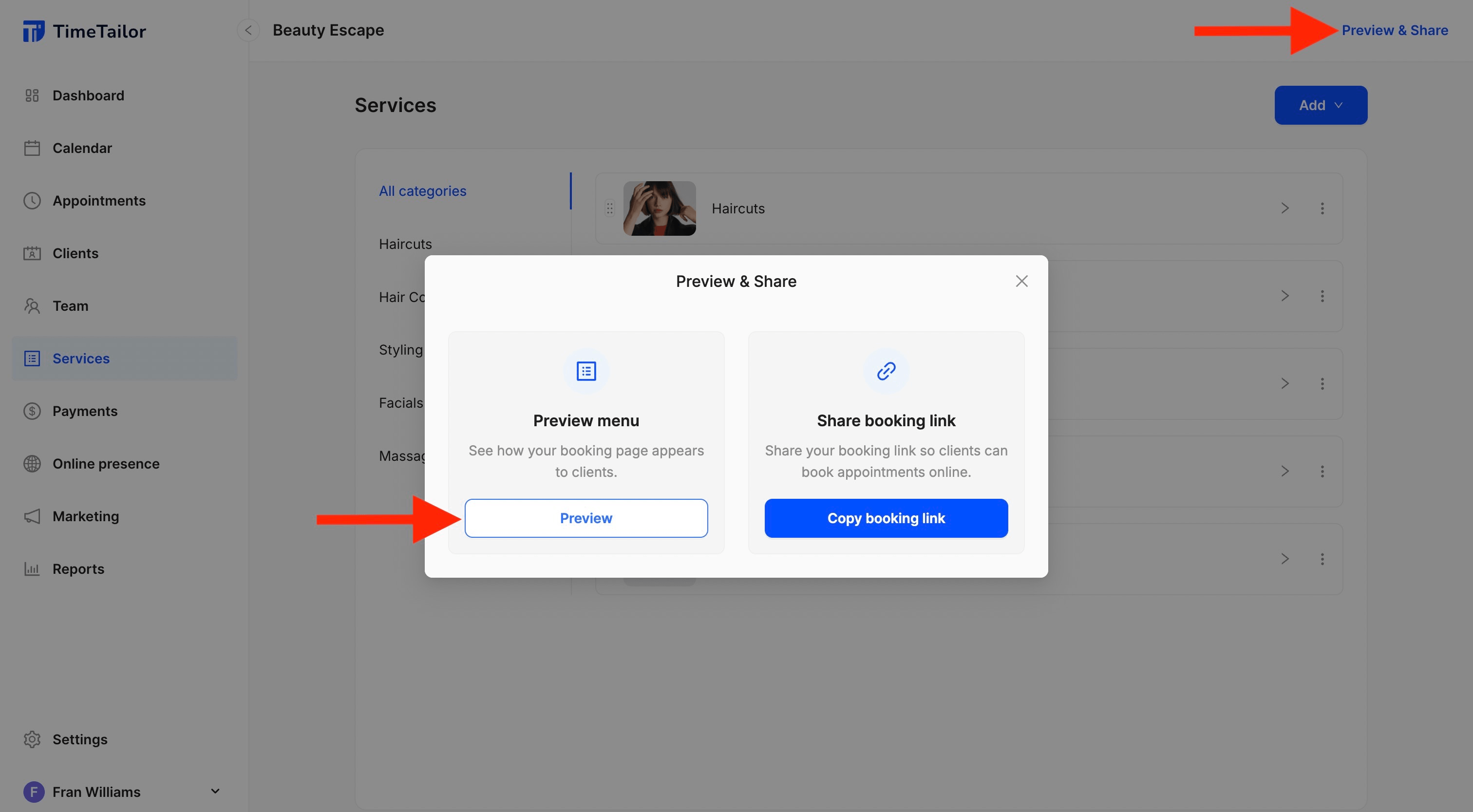
Absolutely! To see how your booking page appears to clients, click Preview & Share, go to Preview Menu, and select Preview. You’ll then see exactly what your customers see:
12. Do I need a website to use this feature?
No! Once you set up your account and enable online booking, you don’t need a website to share your service menu online. We host the booking page for you, so clients can access the link directly.
However, we do recommend promoting your business through a website as well, because it showcases your services more beautifully, it provides multiple “Book Now” buttons for convenience, and it improves your Google search visibility. Read more about our salon website builder option!
13. Can clients group services by expert?
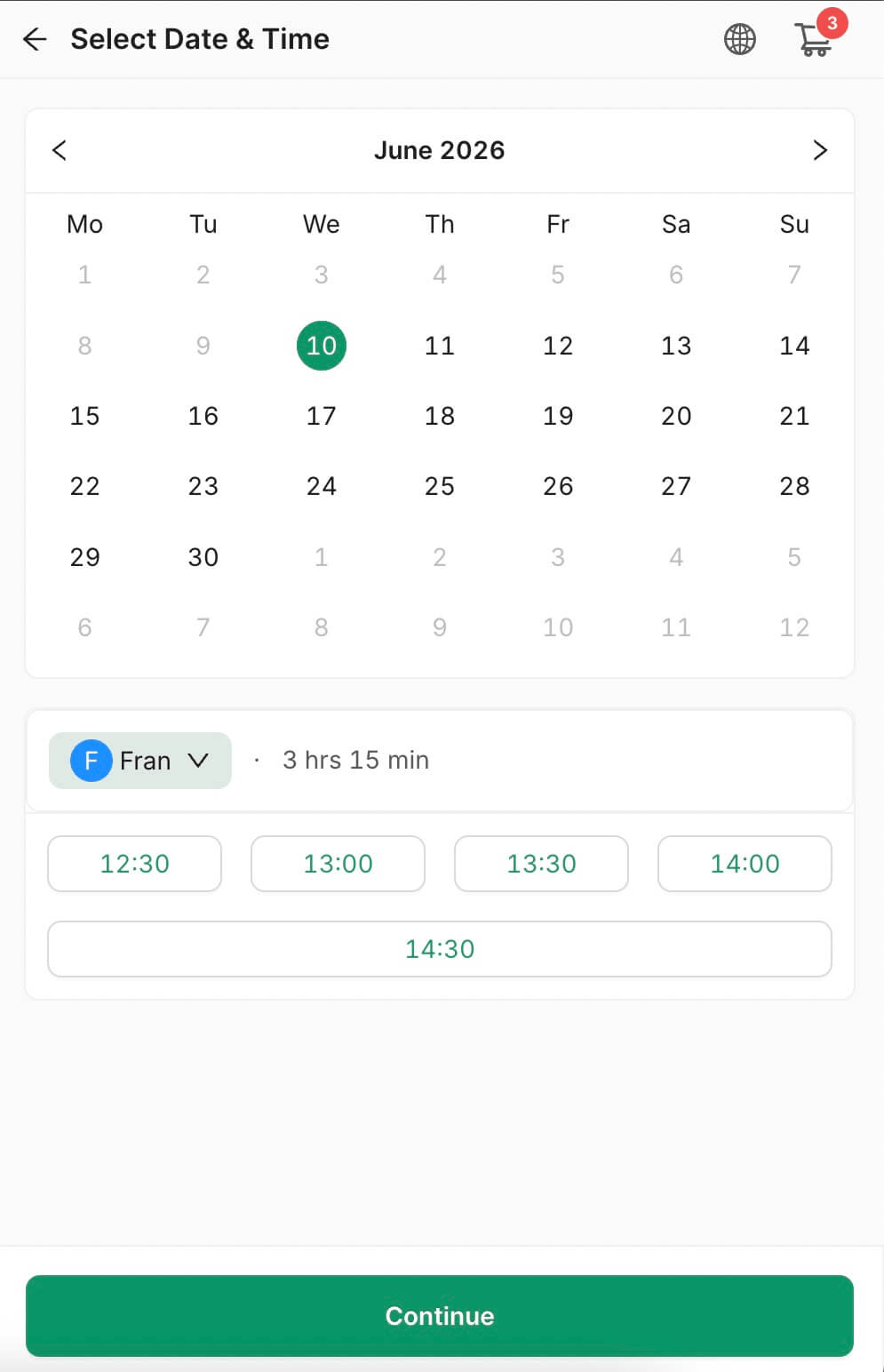
Yes! If a client selects multiple services performed by the same expert, those services are automatically grouped. The client only needs to choose a start time once, and only time slots that allow all selected services to be scheduled consecutively will be displayed:
14. Can I customize how my booking page looks?
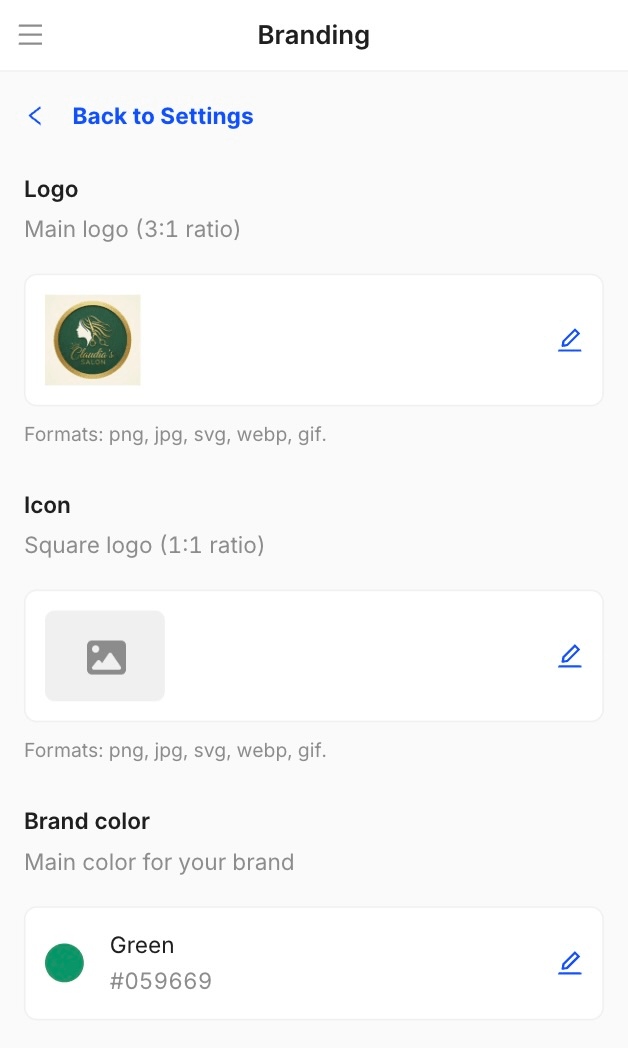
You can always insert your branding elements into the booking page! If you go to Settings and click on Branding, you can add your logo, choose the brand color clients will see in the booking portal, and also have an icon:
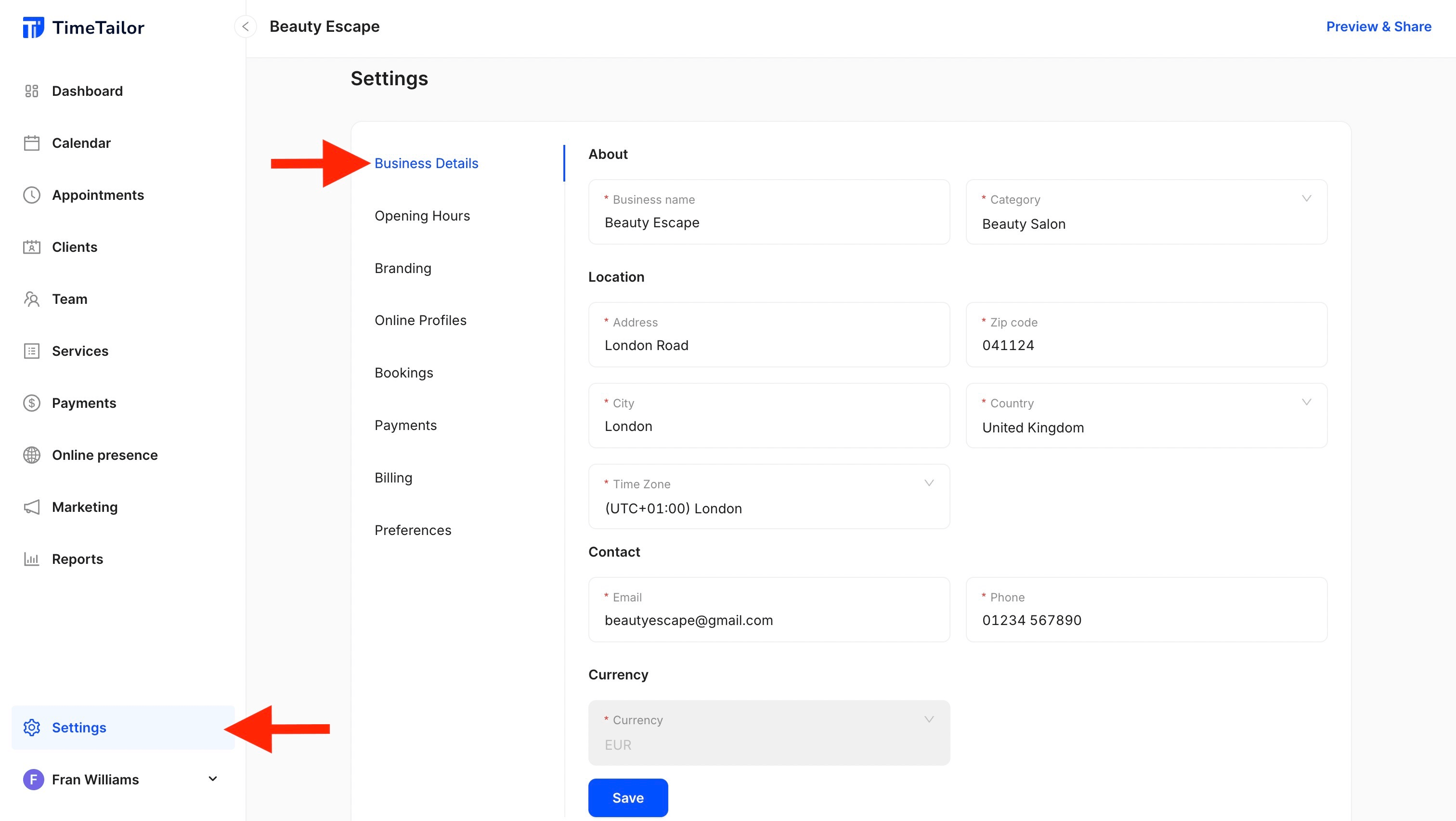
15. How do I edit my business and contact details?
You can edit any information you need by going to Settings and clicking on Business Details:
16. What happens to my booking page when I update the service menu?
When you update your service menu, your page automatically updates to reflect the changes. If it’s a new service, it immediately appears on your booking page, so clients can see it and book right away. If you’re editing an existing one, all changes update instantly. If you remove a service, it will no longer show inside the booking portal. This also goes for reordering services, categories, staff assignments, and any other modification.
17. Are time zones handled automatically?
Yes! When you set up your salon profile, you choose your local time zone, so all available time slots on your booking page are based on that.
18. Is this compliant with GDPR?
Yes! All personal data is stored securely, we use encrypted connections for online transactions, and we provide the option to export or delete client data, which is a GDPR requirement.
19. I have an issue with my booking page, what do I do?
If your booking page is not loading or showing errors, please contact the customer support team via live chat for assistance. They’ll be able to investigate and resolve the issue immediately!
Send your details - we do the rest!
We offer all you need for a thriving salon: website & logo creation, instant profile setup, 1:1 staff training payment system integration, intuitive appointment management, and more!
Start Now
TimeTailor’s salon appointment software is an all-in-one salon online booking system for freelancers and small business owners. We also optimize or create a website for your salon. This POS system allows you to take deposits and manage payments.