Frequently Asked Questions About Consent Forms
Learn to use the consent forms feature inside our salon management software!
1. What are consent forms?
A consent form is a document used by beauty businesses in order to request information such as personal details (name, age, phone number), medical history (allergies, existing conditions), and media consent. By signing the form, clients confirm they understand the services that are being provided and agree to proceed with their treatments.
2. Why should my salon, barbershop, spa, or beauty clinic use consent forms?
Consent forms protect you and your clients by ensuring all important information is communicated, understood, and agreed upon before a treatment or service is performed.
3. How do I create a new consent form?
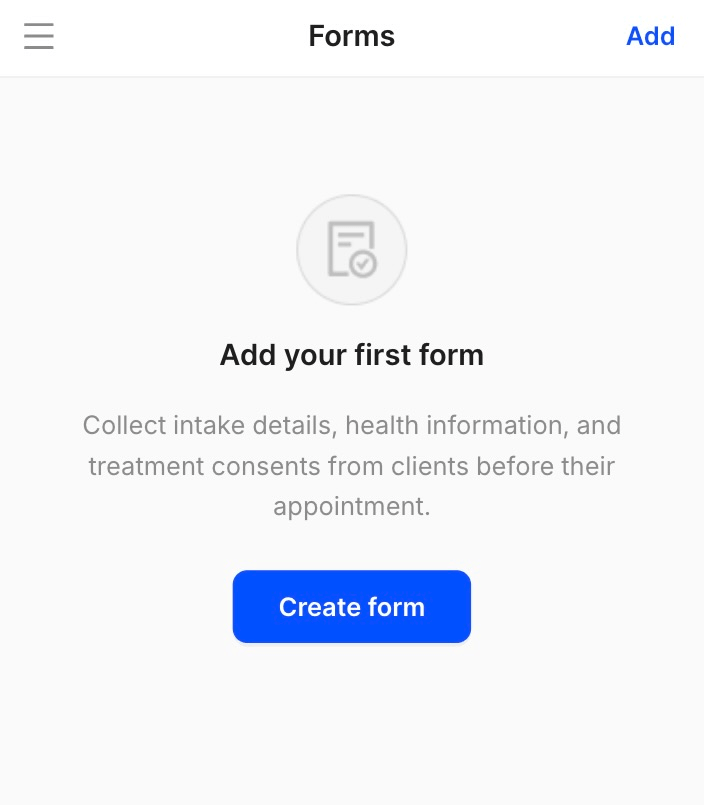
To create a new consent form, go to Settings, Forms, and click on Create form:
4. Can I create a consent form from scratch or do I need to choose a template?
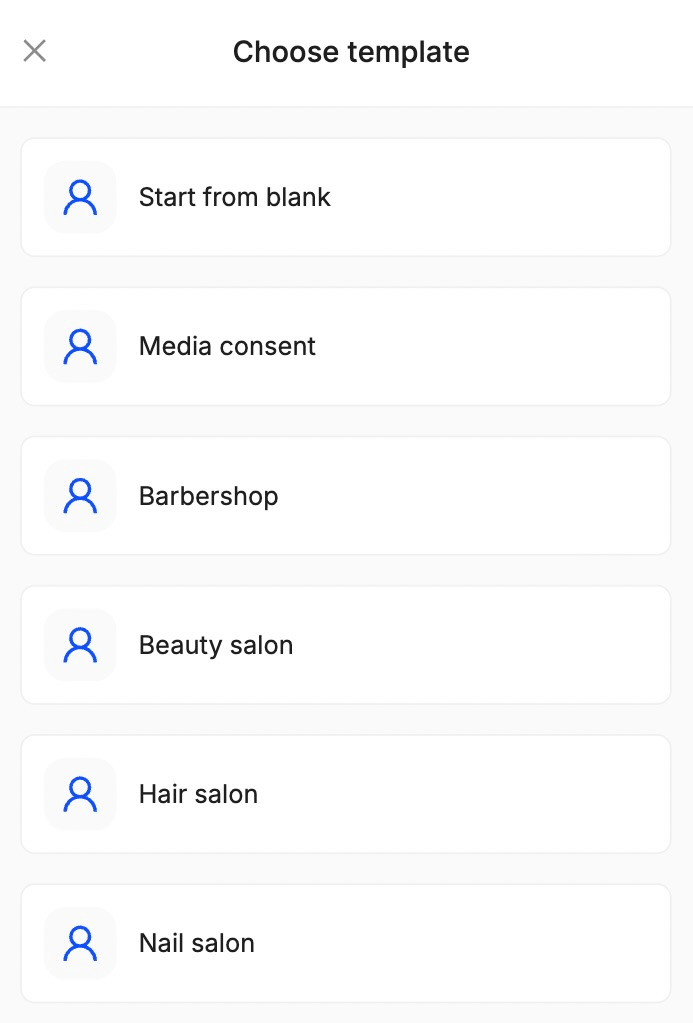
It’s up to you! You can start from scratch or choose a template that applies to your business:
5. What information can I request in the consent form?
1. Client information (name, date of birth, phone number)
2. Health information (allergies, medical conditions, medication)
3. Treatment consent (patch test, risk consent)
4. Media consent (before and after photos, social media)
5. General consent
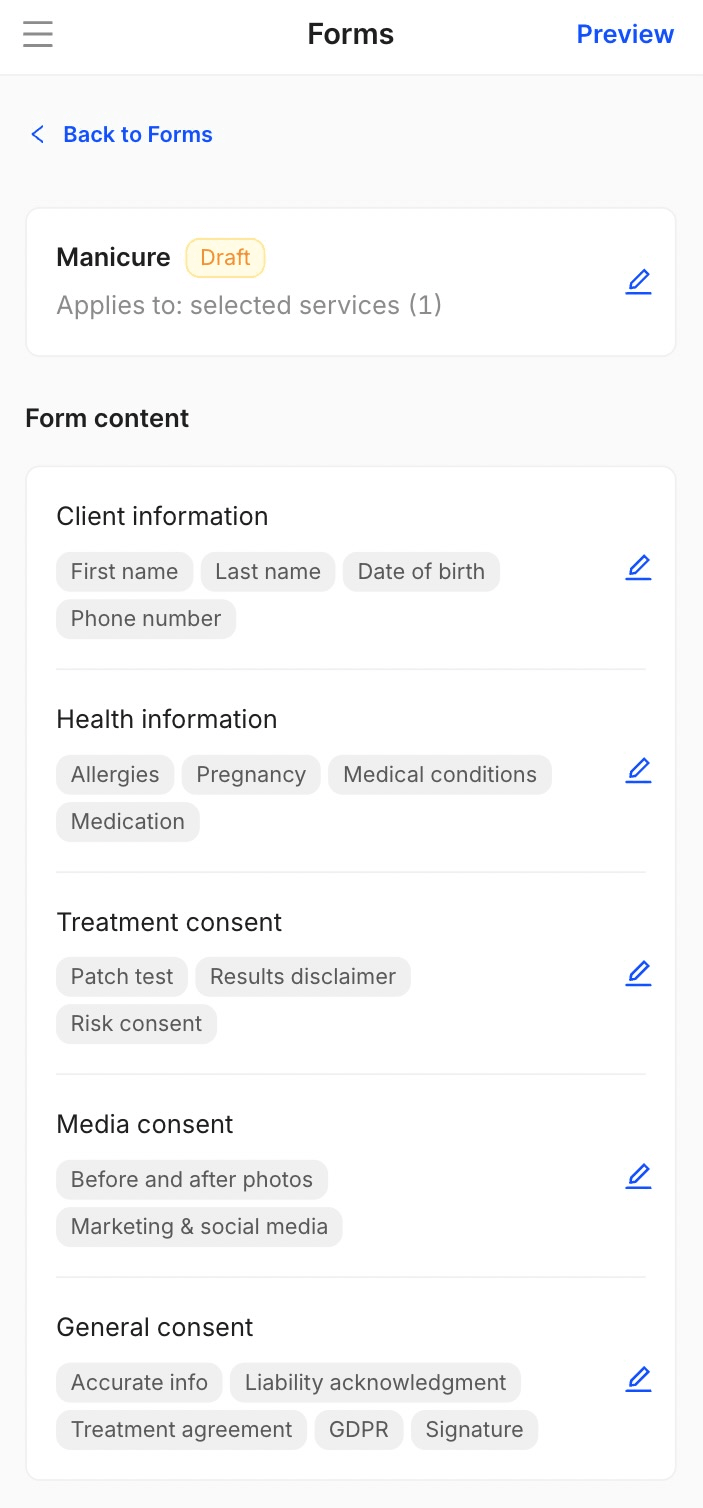
Based on the responses that are given, on some sections, such as medical conditions, medication, or allergies, we will automatically ask for more details, ensuring you have all the information you need!
6. Can I create different consent forms for different services?
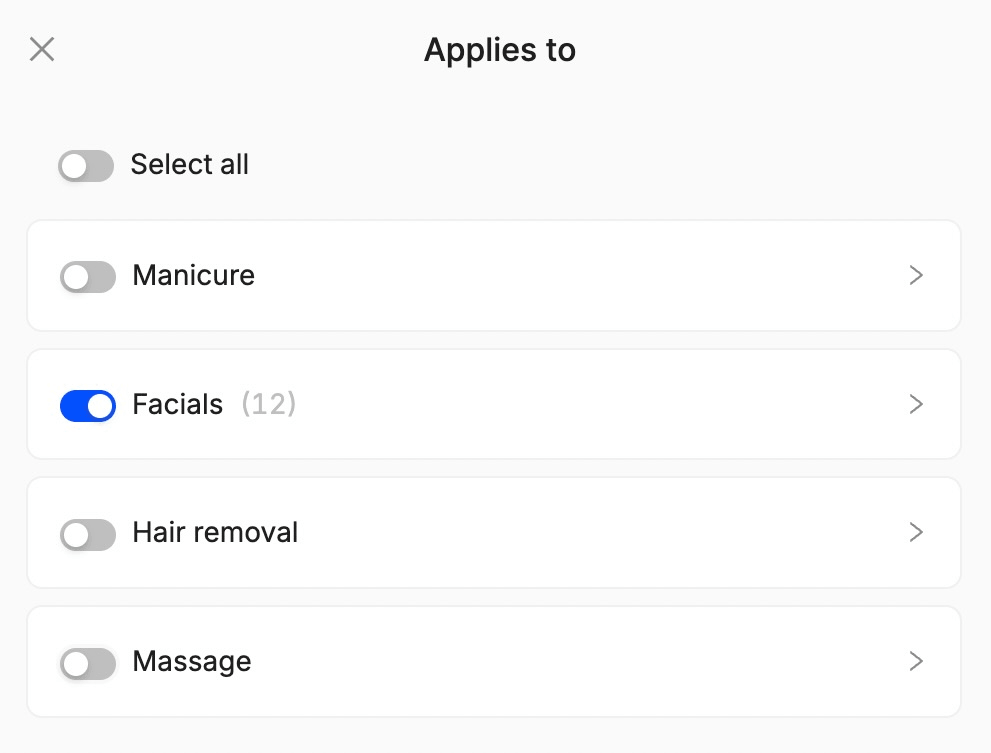
Of course! Once you create a new consent form, after choosing a template, you’ll be able to select the services it applies to:
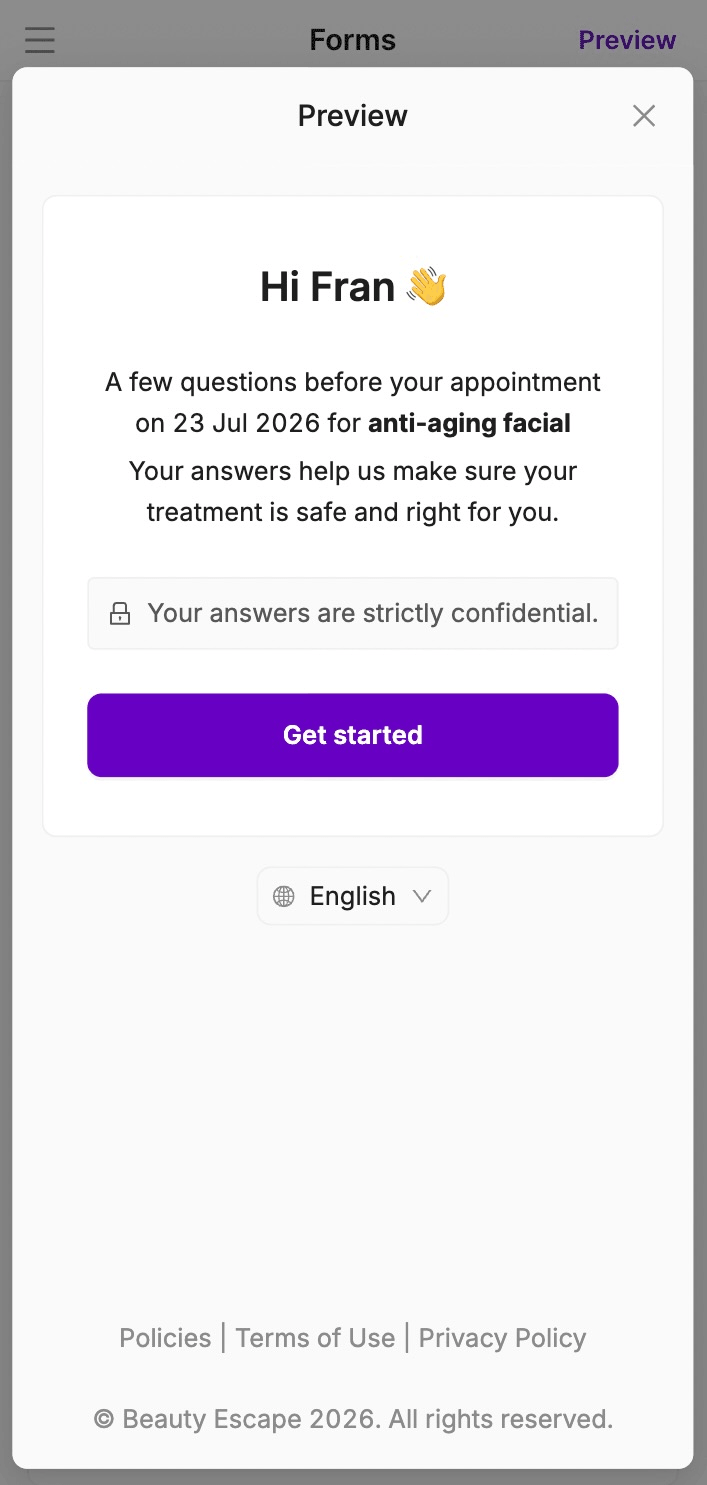
7. Can I preview a consent form before sending it?
Yes! You can click on Preview:
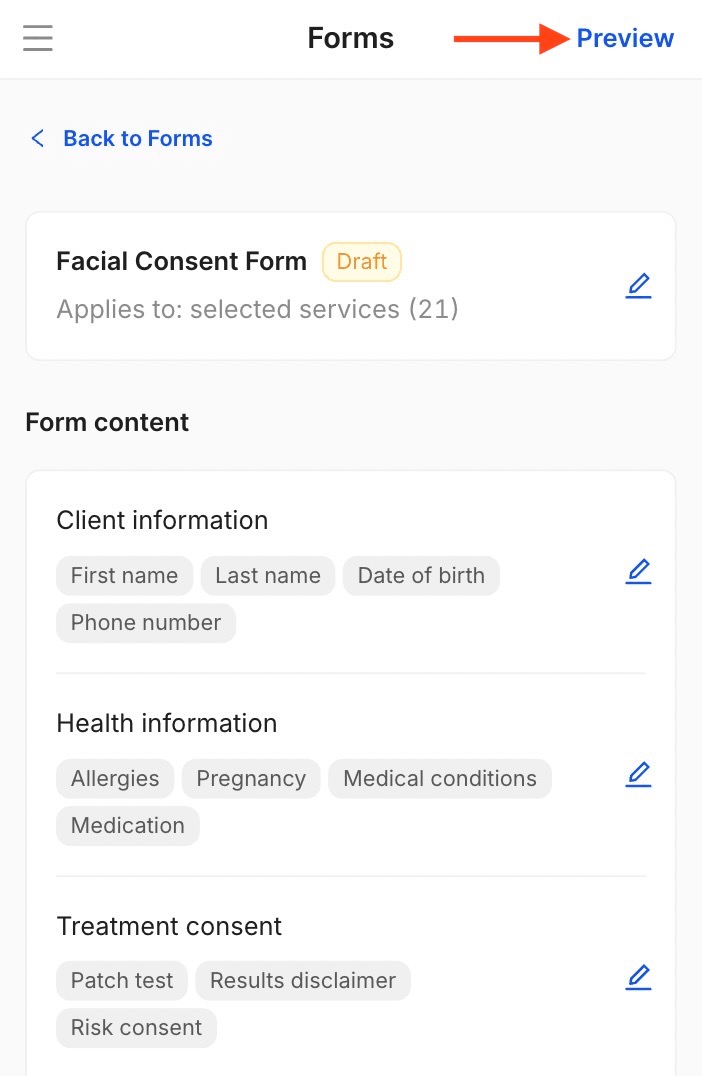
And go through the entire flow to see exactly what your clients see:
8. When do clients receive the consent form?
Once a booking is created, the consent form will be automatically emailed to the client 48 hours before their appointment!
9. Can clients complete consent forms in-salon?
Of course! Once an appointment attached to a consent form is created, inside the Appointments section, you’ll be able to click on that appointment and see a new option called Client form:
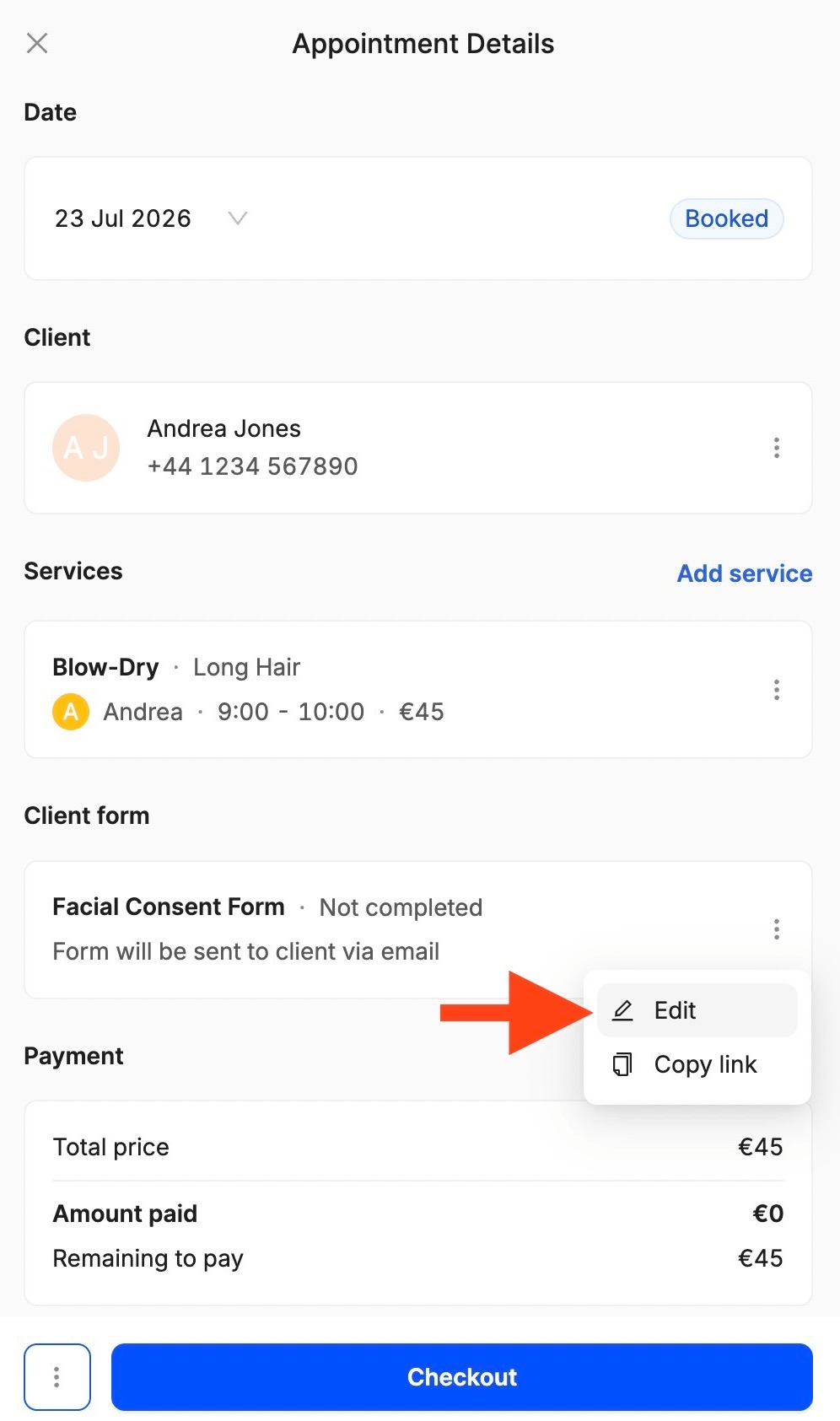
If you need your customer to complete it in-salon, all you have to do is open the menu and click Edit. This action will automatically take the client to the consent form flow!
10. Can clients complete consent forms on their own devices?
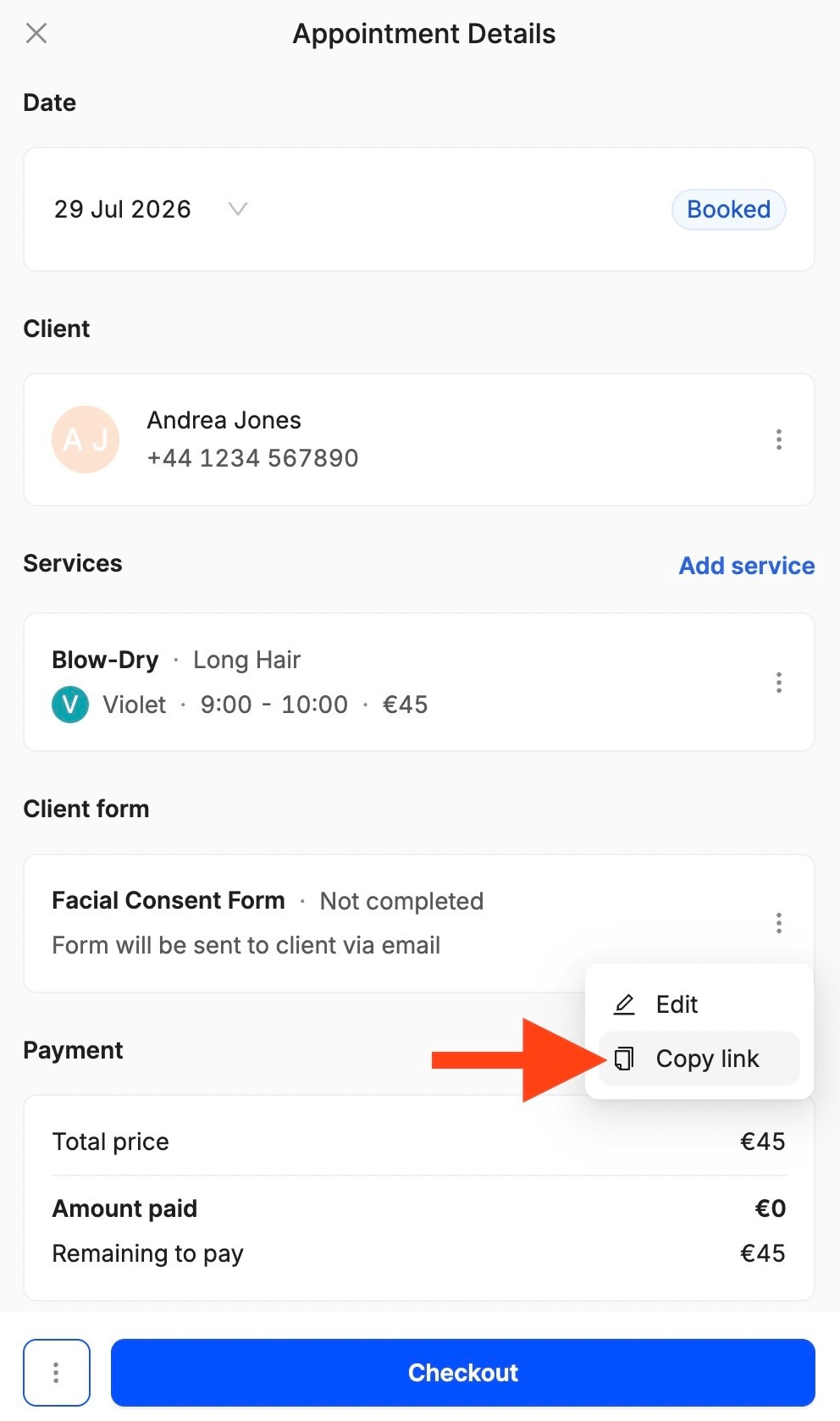
Yes! An email is sent automatically 48 hours before their appointment! If they don’t have an email address, you can share the consent form on social media or WhatsApp by going to the Appointments section, Client form, and clicking Copy link:
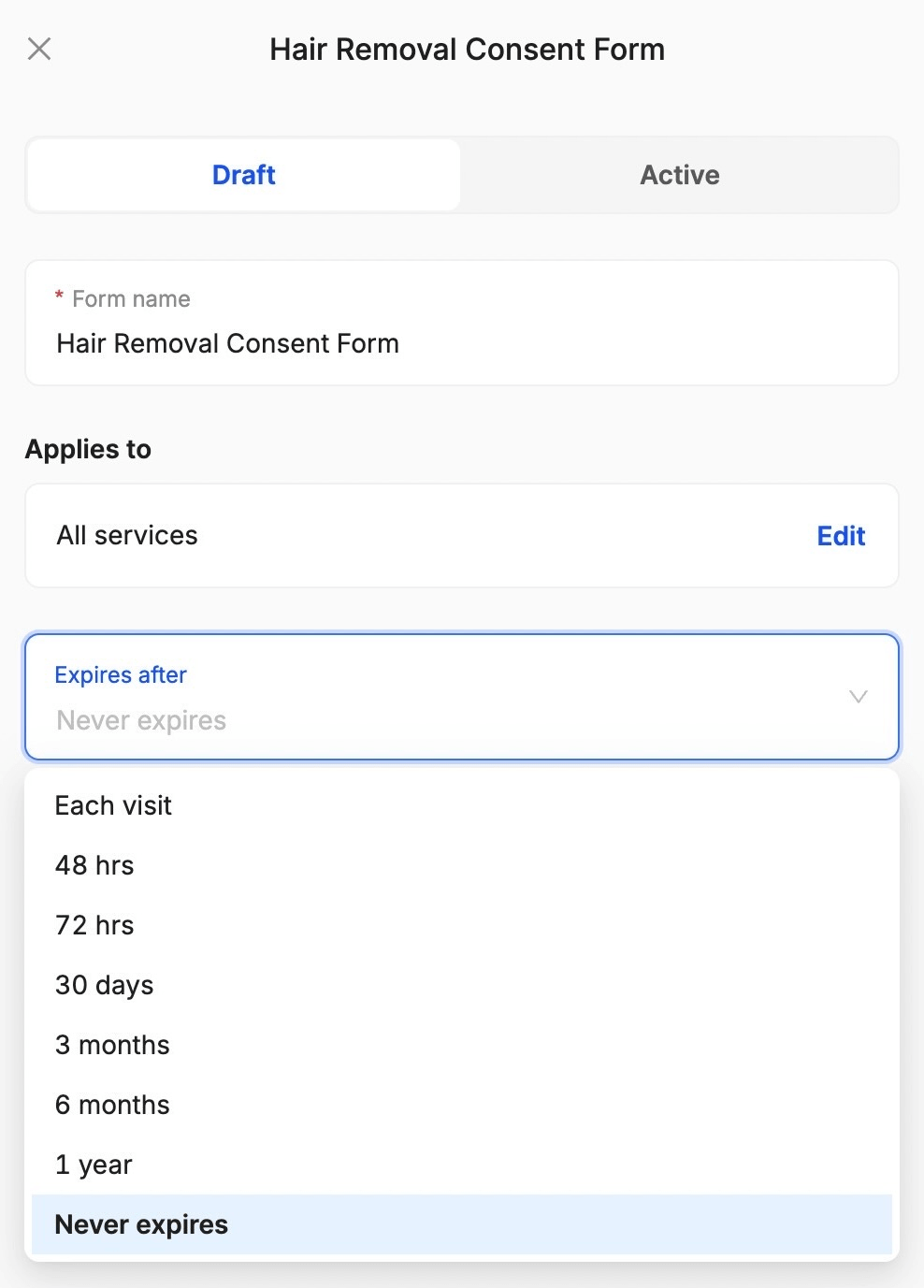
11. Do consent forms expire?
Only if you want them to! When creating a new consent form, you can choose if and when it expires:
12. Where can I find signed consent forms?
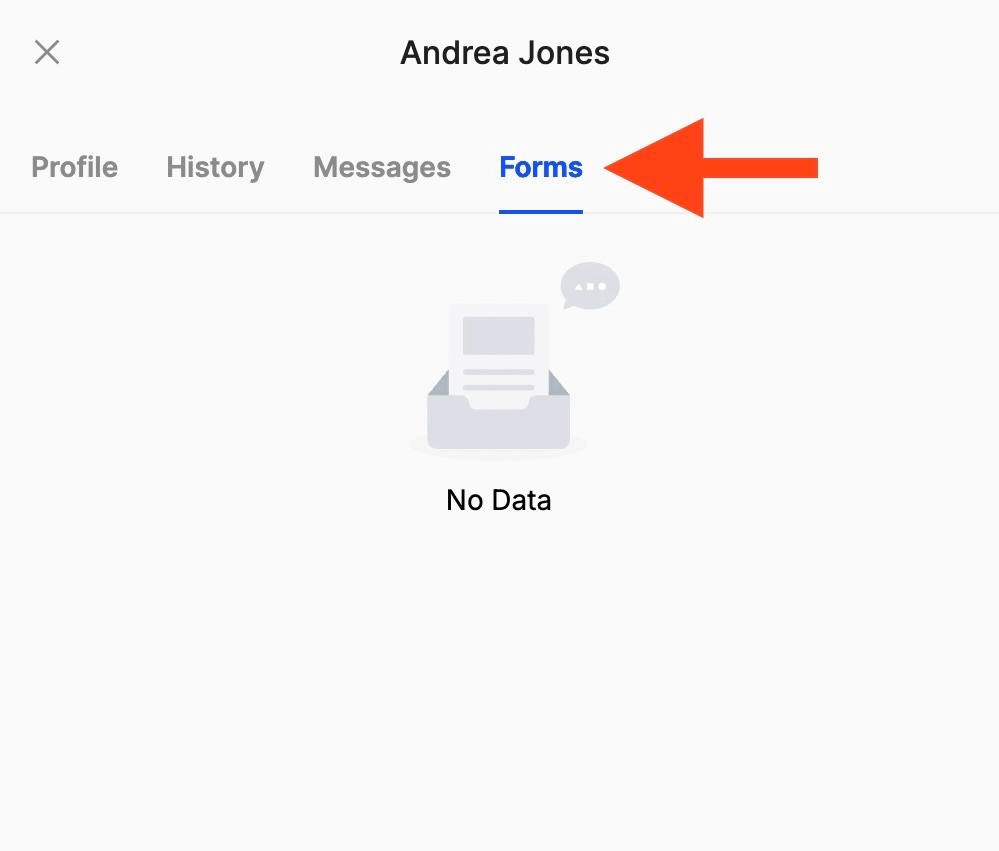
Once a client signs a consent form, you'll be able to view it in the Clients section. Just open the client’s profile and go to Forms:
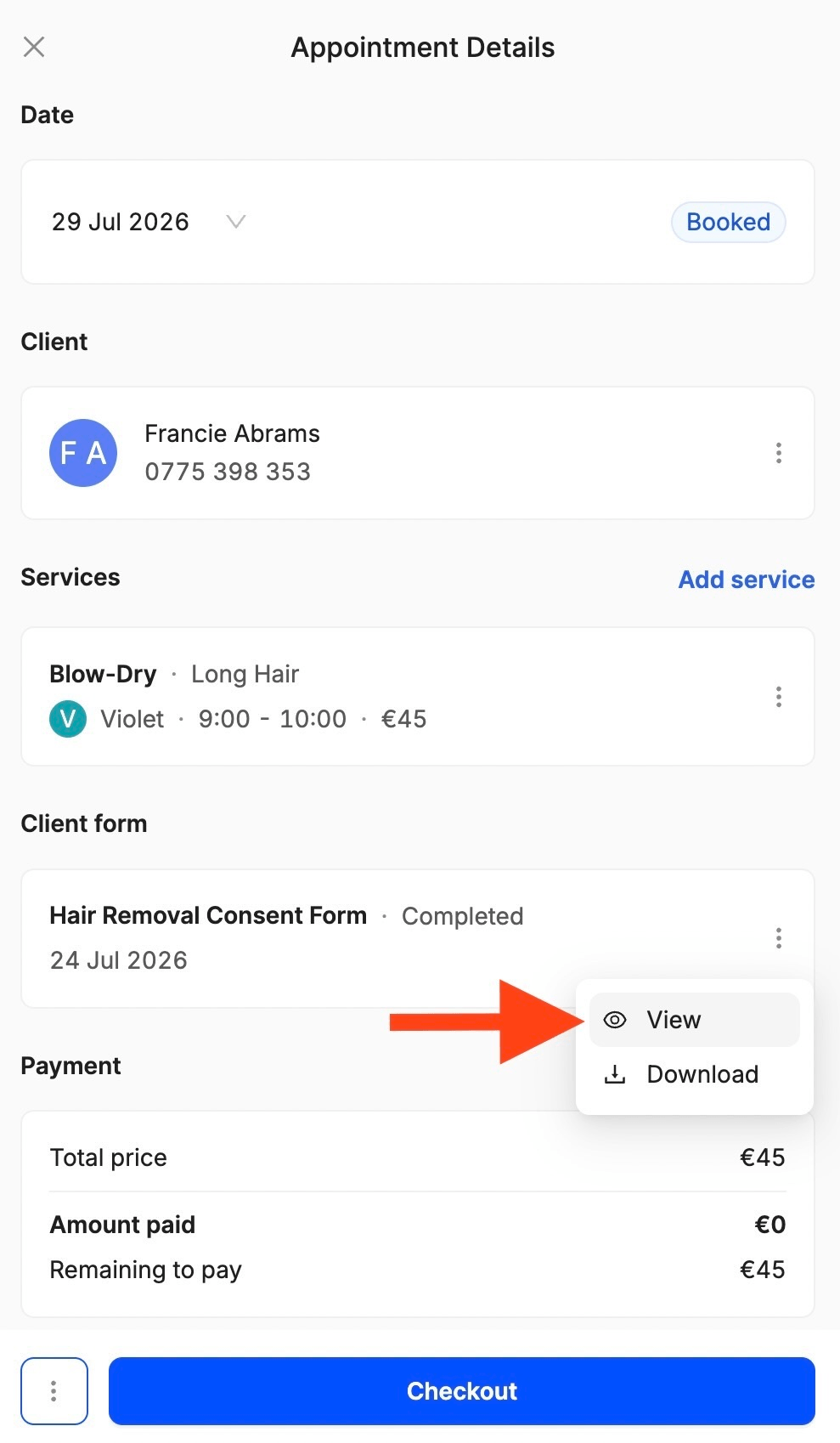
Once signed, the consent form will also appear as Completed inside the appointment details. To see the answers, just click on View:
13. Can I download a signed consent form as a PDF?
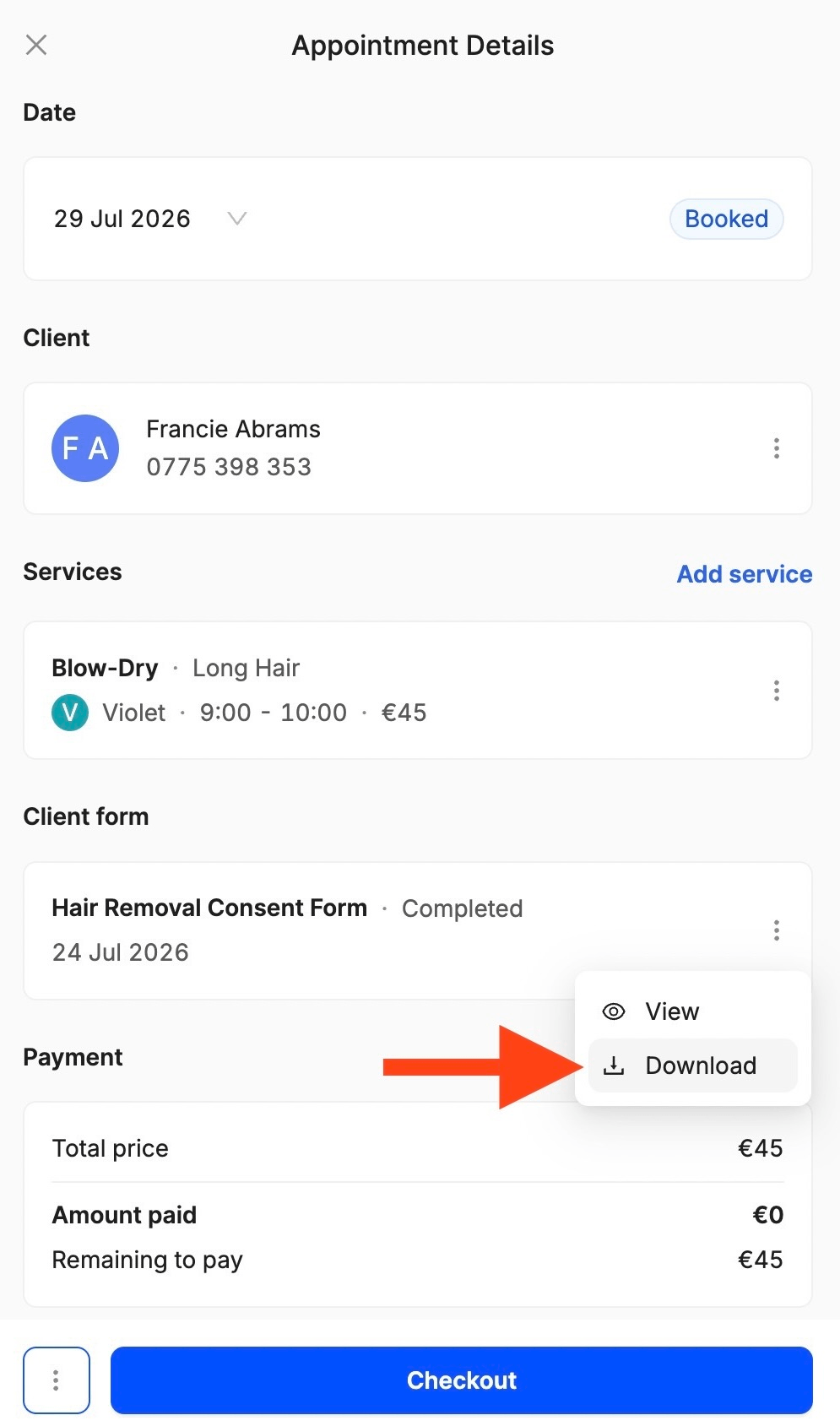
Of course! To download a signed consent form as a PDF file, go to the Appointments section, choose an appointment, open the Client form menu, and click Download:
14. Can I email my client the signed consent form as a PDF so they have a copy?
After a client signs a consent form, if the email address is saved on their profile, they automatically receive a confirmation email with the signed PDF attached!
15. Can I duplicate existing consent forms?
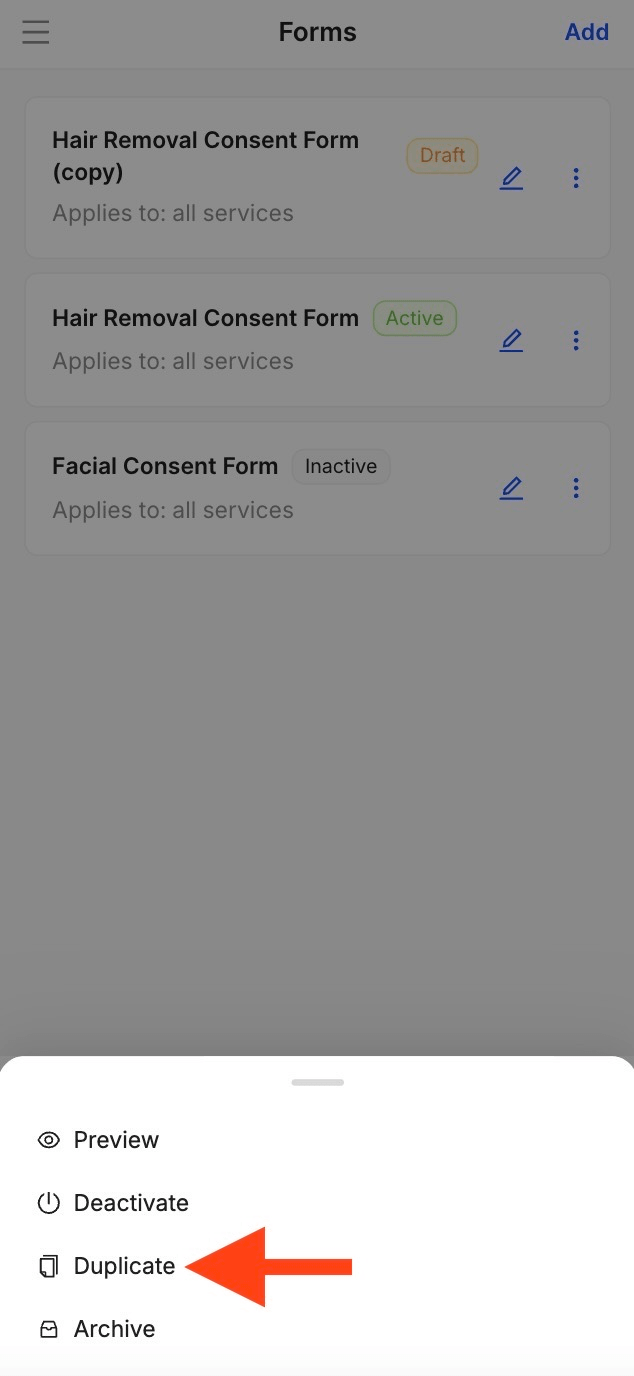
Yes! If you want to reuse a past consent form or make changes to it, simply go to Settings, Forms, open the menu, and click Duplicate:
16. How can I delete a consent form?
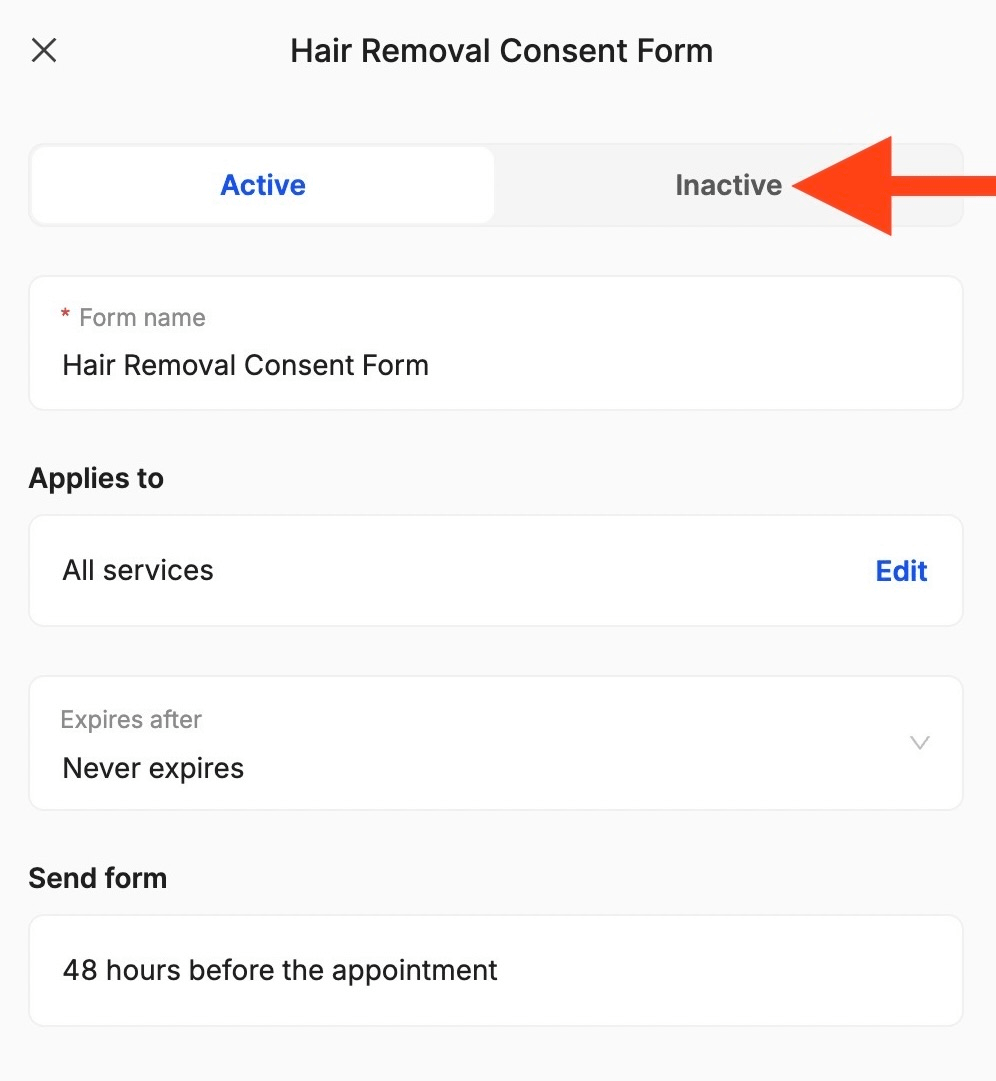
If you want to deactivate a consent form so it is no longer sent to clients, go to Settings, Forms, select the form, open the menu, and click on Inactive:
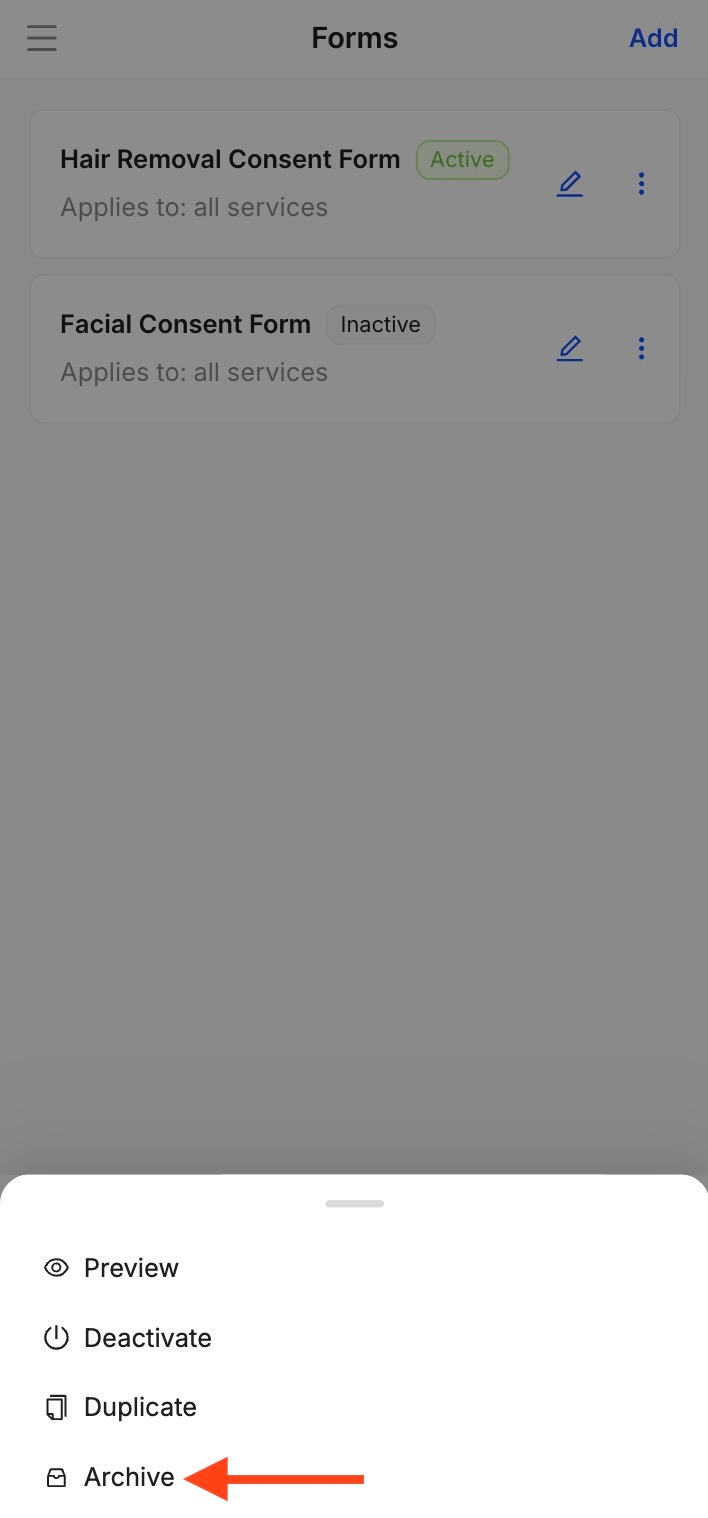
If you want the document to completely disappear from Forms, open the menu and click Archive. Archived forms are hidden from the list but remain on record:
17. I’m having issues with the consent forms, what do I do?
If you encounter any problems, send us a message! Someone will respond as quickly as possible, solve the issue, and you’ll be able to get back to your day!
Send your details - we do the rest!
We offer all you need for a thriving salon: website & logo creation, instant profile setup, 1:1 staff training payment system integration, intuitive appointment management, and more!
Start Now
TimeTailor’s salon appointment software is an all-in-one salon online booking system for freelancers and small business owners. We also optimize or create a website for your salon. This POS system allows you to take deposits and manage payments.