Frequently Asked Questions About Our Salon Website Builder
Everything you need to know about our salon management system website building service!
1. How does the salon website building service work?
Designed specifically for beauty and wellness professionals, our salon website feature makes it easier to attract new clients, showcase services, and manage appointments online. To access it, all you have to do is go to the Online Booking section, navigate to Website, and click on Request Your Website:
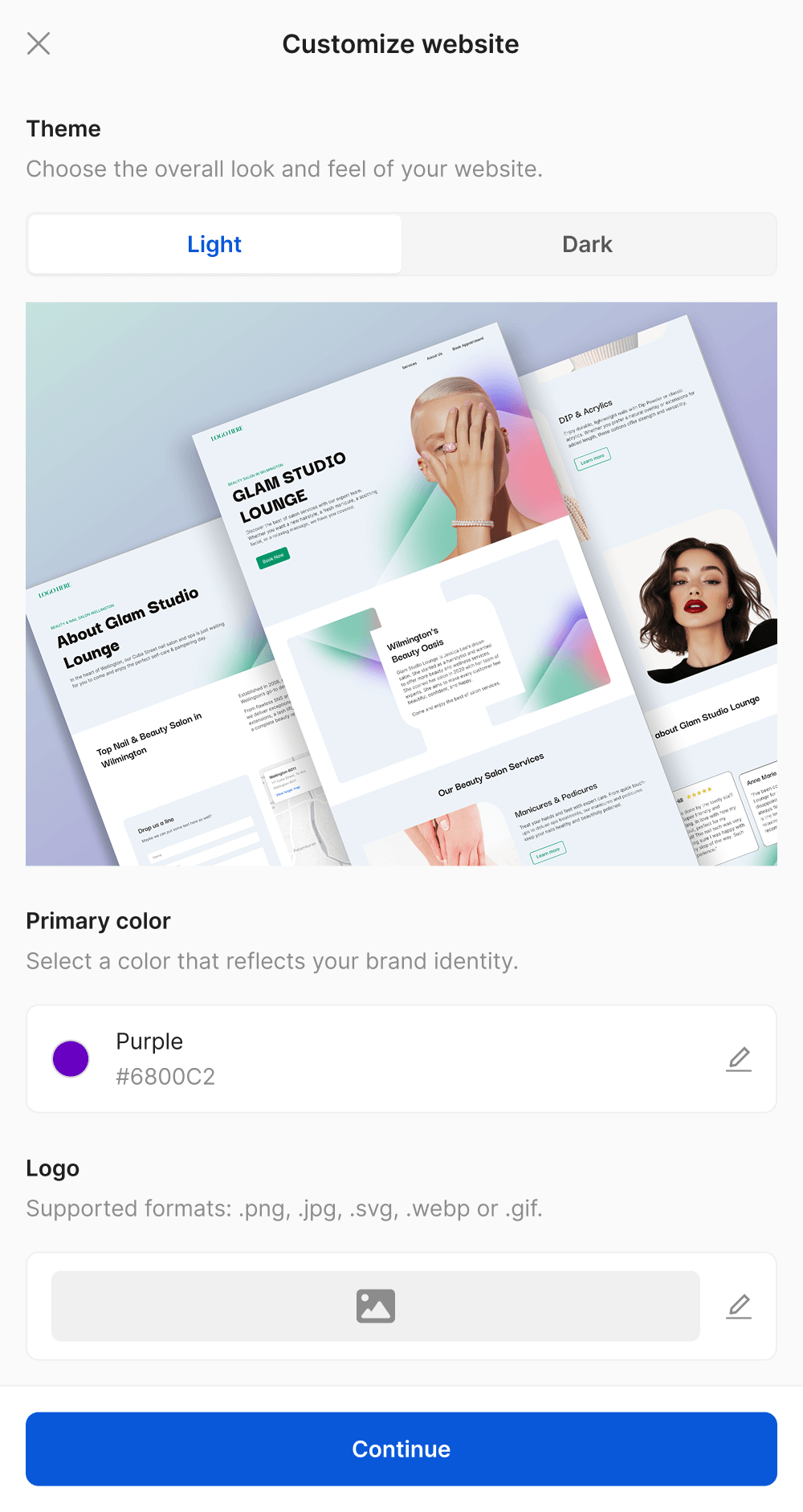
Next, you choose a theme (light or dark), insert your logo and icon, choose a brand color, and activate the service!
2. Will the website match my salon’s brand (logo, colors, style)?
Always! You choose the theme, logo, icon, and brand color. For the website’s content, our team also considers the location and character of the business. Whether it’s a relaxing spa, a trendy nail salon, or a hair salon catering to future brides, we make sure it’s represented authentically and resonates with your clients!
3. How is the website structured?
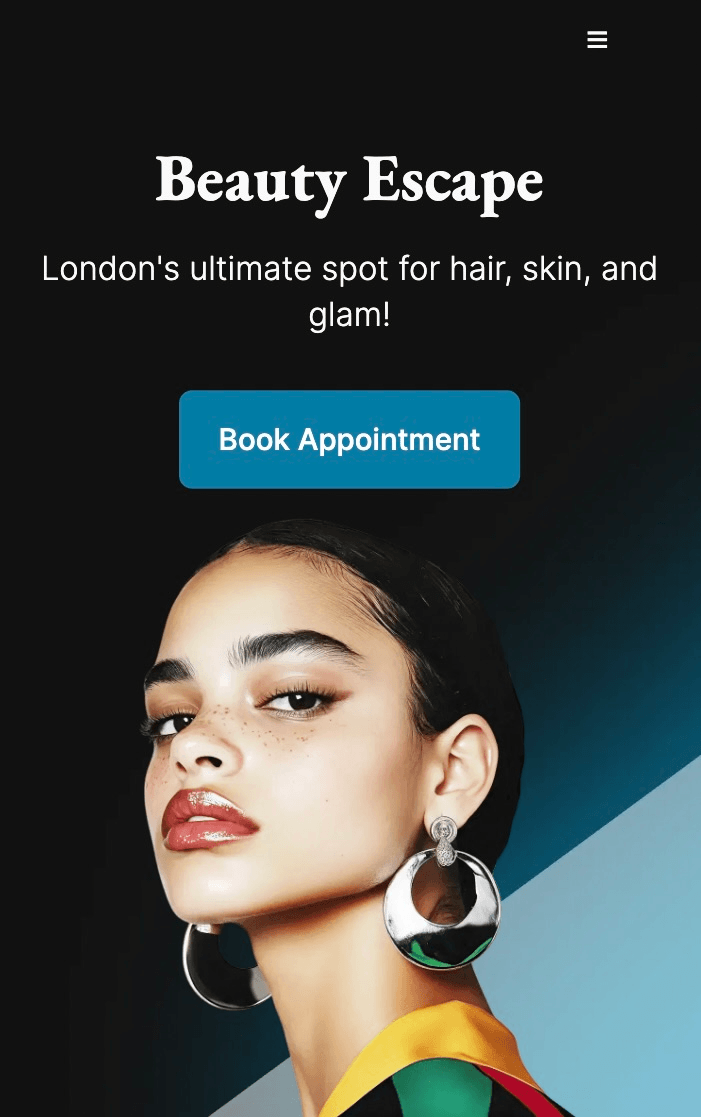
The homepage starts with a header that welcomes clients into the world of your salon featuring a customized image, your logo, your business name, a brief description communicating your core message, and a Book Appointment button:
The next section introduces who you are and how you started, giving a fuller picture of your brand identity. Following that, clients are presented with the service categories, each accompanied by Explore Services buttons for easy access to the service menu. After that, you can showcase testimonials from clients sharing their positive experiences, and visitors can read about booking policies.
If we go back to the header and click on About Us, we reach a page that tells your story, displays a map to your location, and includes a message portal where clients can ask questions.
4. Can you create the website in any language?
Yes! You can request to have the website in the same language as your service menu and booking page (or different, it’s up to you!), so everything is consistent and easy to navigate.
5. How long does it take to launch my website?
Once you activate the service and provide all the necessary details, our team will deliver the first draft of your website in as little as 1-2 days, depending on the number of categories you have. After you approve the website, we’ll choose a domain name together and go live immediately!
6. Can you optimize the website for search engines?
Yes, it is one of the most important features! While creating the website, we optimize the meta information, page titles, bios, service descriptions, testimonials, and URLs (curated for your location), so clients can always find your business when they look for salons in their area.
7. Will clients be able to book appointments through the website?
Of course! Clients can always book appointments directly through your website. The booking page can be opened with multiple “Book Appointment” and “Explore Services” buttons that are impossible to miss.
8. Does the website sync with my calendar?
Yes! The calendar is always live and synced, so clients can only see available slots, eliminating the risk of double bookings.
9. Can I add my own images?
Of course, we always encourage it! You can add your own images inside the service menu, and they’ll automatically show up on the website as well. This gives the entire page more personality, so clients fall in love with your work and know exactly what to expect!
10. I don’t have any high-quality pictures to add to the website, what do I do?
Don’t worry! A website without images doesn’t have the same impact, so our team can add some stock pictures that perfectly showcase your services, making the client experience more pleasant.
11. Can I have as many categories and services as I want?
The sky is the limit! You can add as many categories, services, and add-ons as you wish.
12. Can I update services, images, or promotions later?
Of course! Built to support the evolution and growth of your salon, our system allows you to update the website whenever you need to. You can update the entire service menu from the admin panel, and all changes will automatically sync on the website! If you need more or different stock images, just write us in the live chat, and we’ll add anything in no time.
13. Can I showcase my booking policies?
Absolutely! To set the booking policies, go to Settings, Bookings, and click on Policy Page:
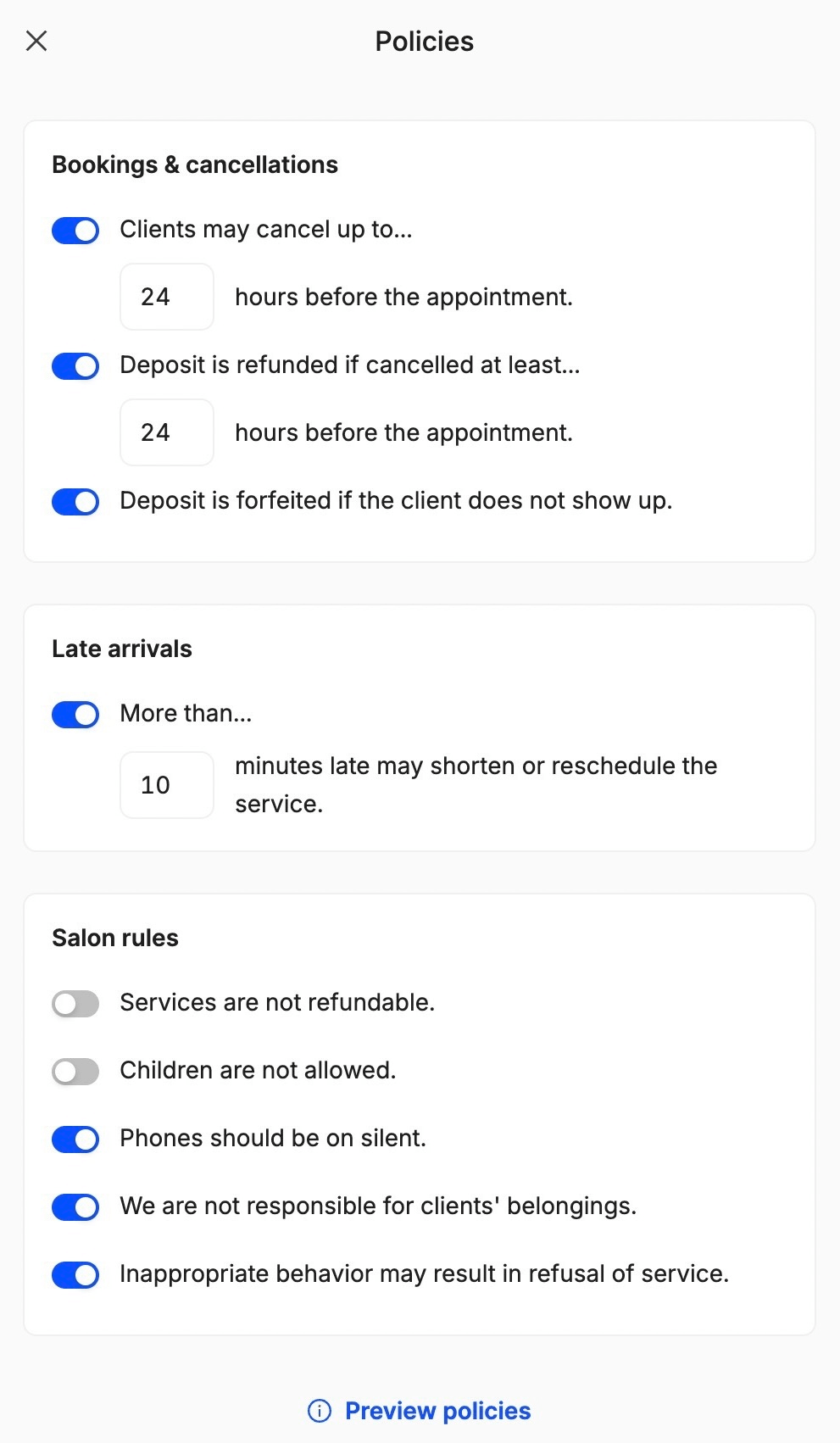
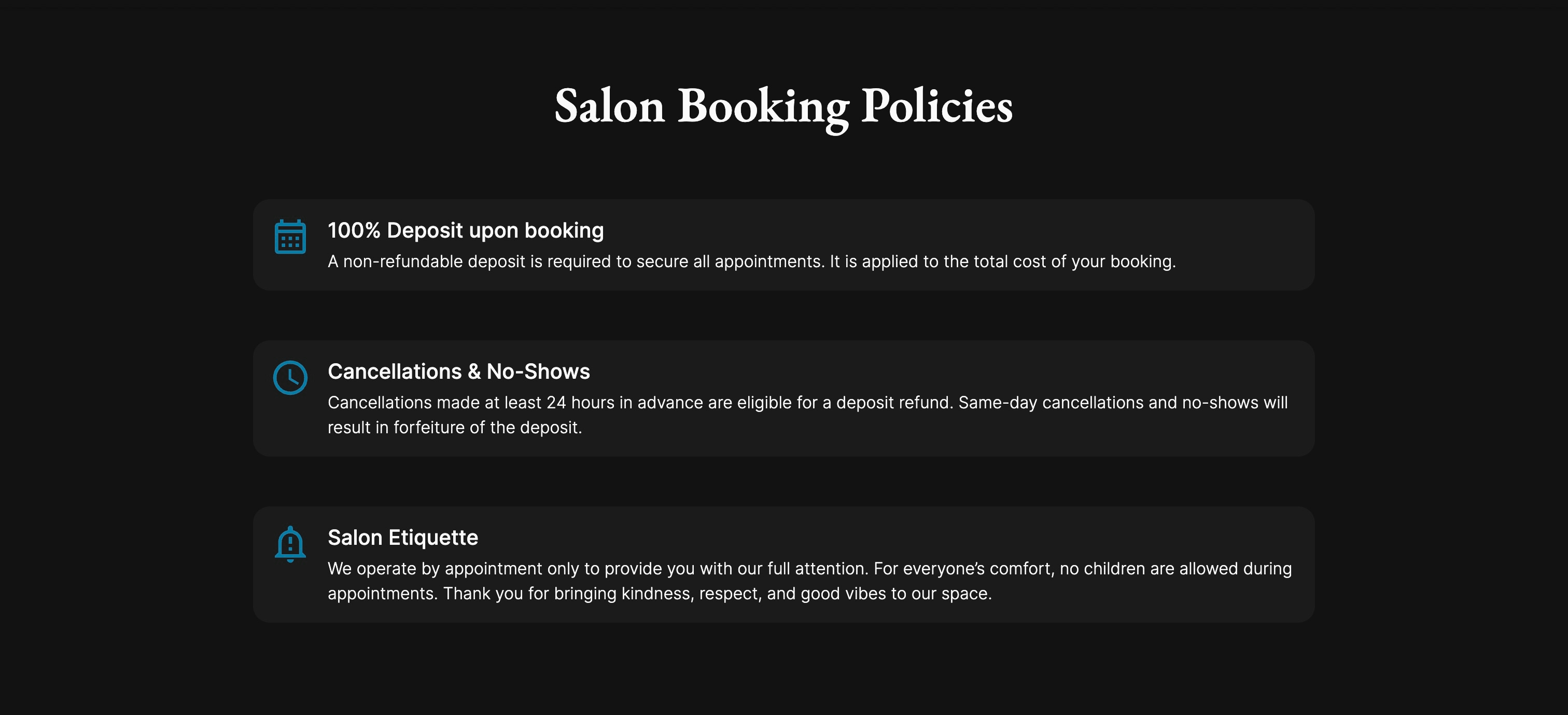
Once you set up bookings, cancellations, late arrivals, and salon rules, clients will be able to see everything on the website:
14. Can I integrate the website with social media platforms?
Of course! You can add your website link to all your social media platforms and also connect your social media profiles to your new website. All you have to do is go to Settings, Business, Online Profiles, and add the accounts:
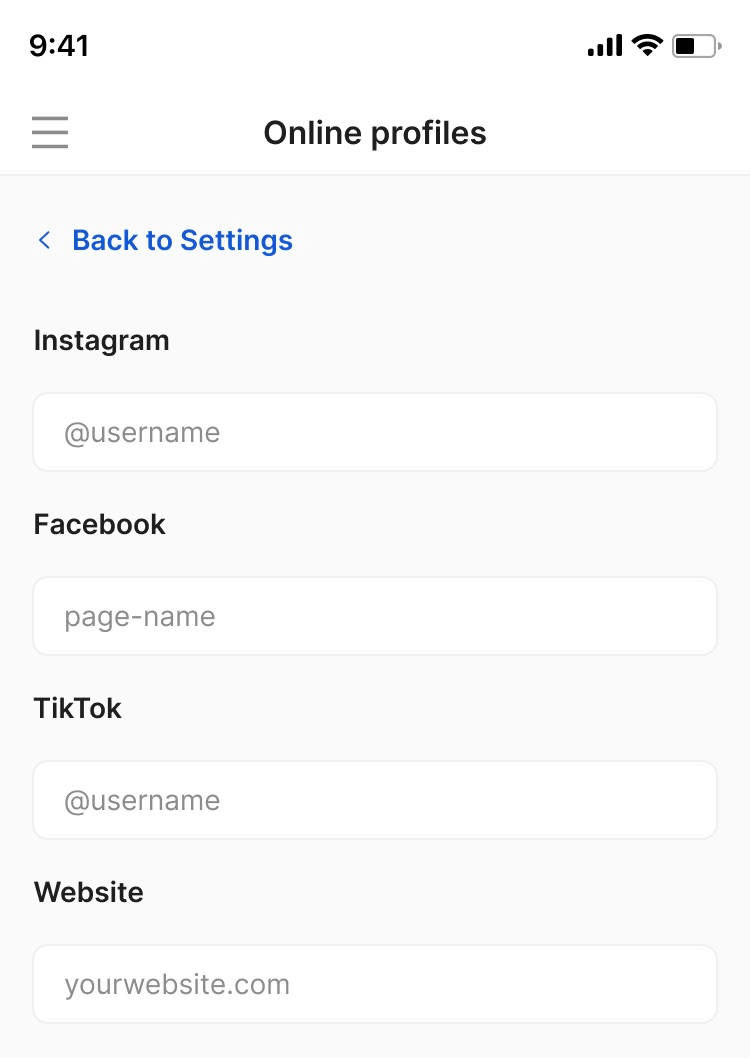
They will instantly appear on the website:

15. Can I add testimonials on the website?
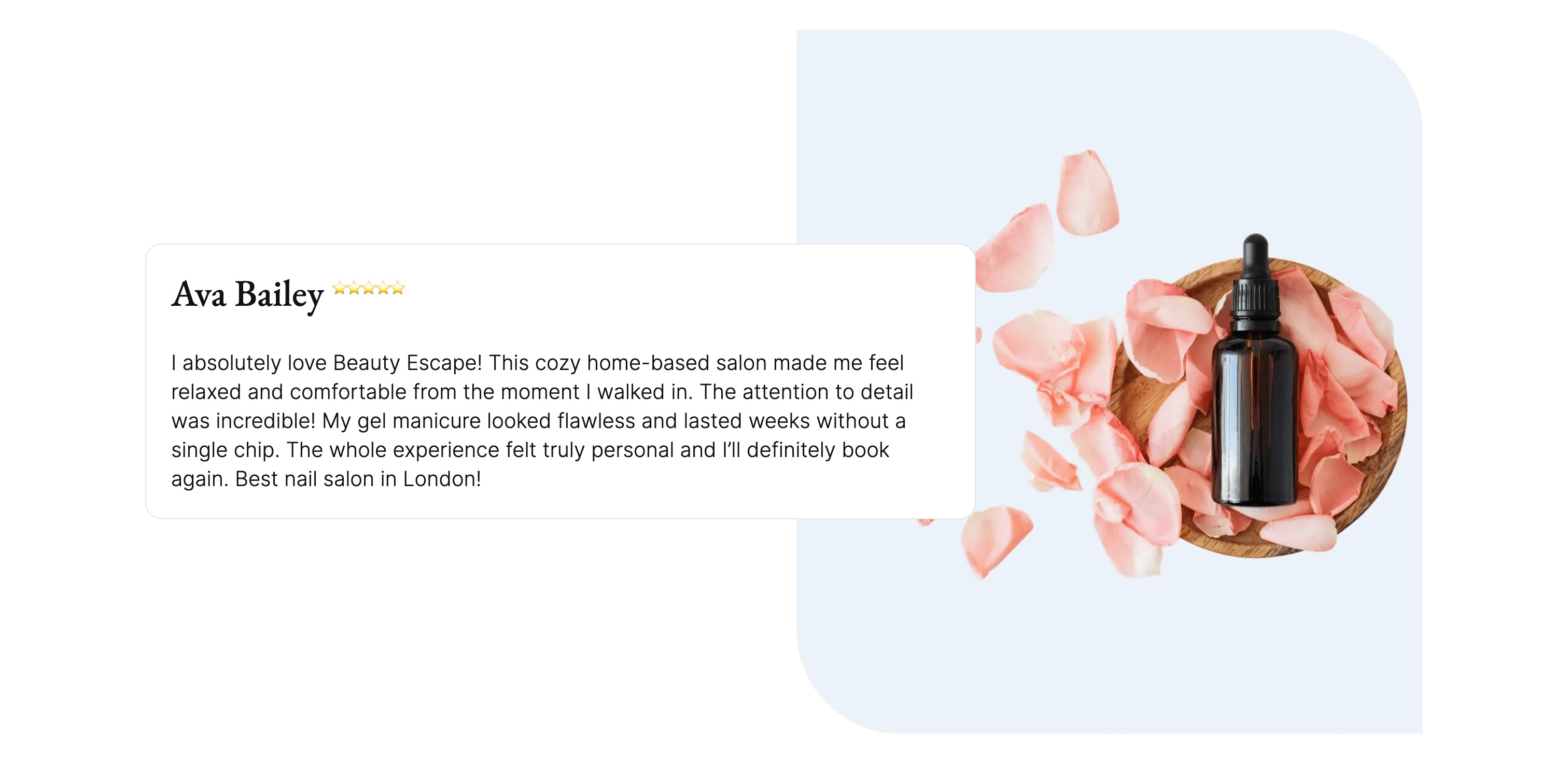
Yes, you can always add testimonials, and it’s actually a great idea to do so! Just send us your reviews or the link to your Google Business Profile via live chat, and we’ll add everything:
16. Does this website have an About section?
Yes! Outside the SEO benefits, an About Us section makes your website feel professional and trustworthy. If you want our team to add specific information to it, just leave us a message with your salon story, experience, expertise, a little team introduction, and tell us what makes you unique. If you don’t have time for that, no worries, we can still create a section that’s perfect for your brand!
17. Can clients see my working hours, address, and contact information on the website?
Of course! Clients can always see your working hours, address, and contact details in the website’s footer! This way, they can quickly check when you’re available before booking.
18. If a client comes across my website and has a question, can they send me a message?
Yes! Because we know how important direct communication with your customers is, the About Us page has a special section dedicated to it:
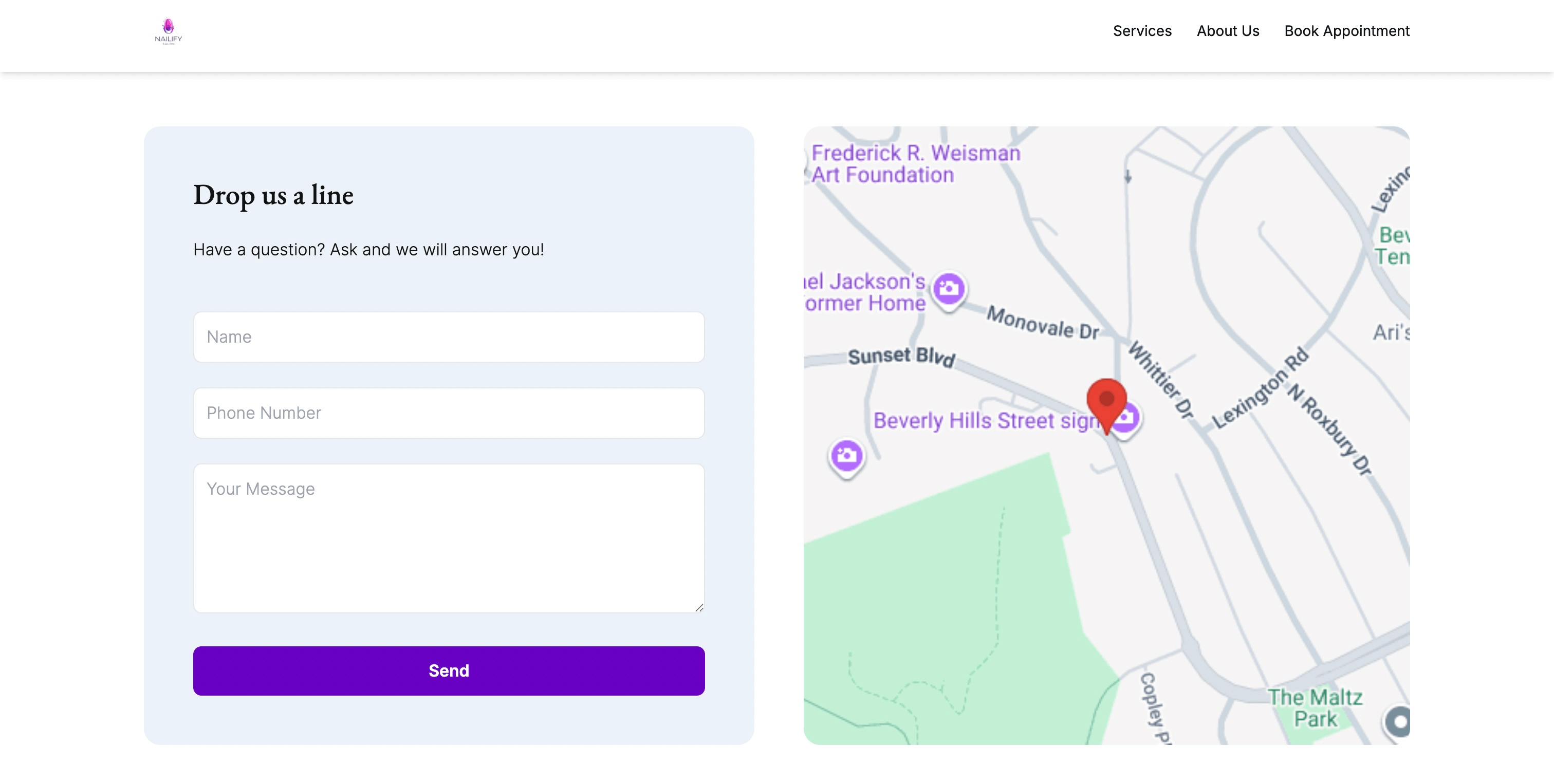
Submissions are automatically sent to your email address, so you can respond in no time!
19. Do I have to pay for a domain?
No! All domain and hosting costs are covered by us. You only have to choose and approve it.
20. Is it possible to use an existing domain name?
Yes! Your domain is already recognized by your customers, so you can always use it. Just let us know what it is, and we’ll take care of everything.
21. Can I have a customized favicon?
Of course! This is a beautiful personal touch that you can absolutely add to your new website. Tell us if you want it to be the same as your logo or if you’d like to use a different image, and we’ll customize it as you wish.
22. Can I give input or approve the design before it goes live?
We wouldn’t have it any other way! You can always review, give input, and approve the website before it goes live. You can change anything you want (colors, images, descriptions, testimonials), and we’ll work on it until you’re 100% happy with the result.
23. Can I request changes after the website is live?
Of course! You can update the service menu, staff profiles, descriptions, working hours, logo, contact information, and service images from the admin panel, and all changes will automatically go live on the website. If you want to change the website layout, just write what you’d like to modify in the live chat, and our team will take care of it immediately.
24. Is the website secure?
Always! Our websites are designed to be safe not only for you, but for your clients as well. The security functions are built into the platform and hosting, so you never have to worry about anything. All data is stored securely, only authorized staff can access booking and client information, and we are compliant with GDPR.
25. What do I do if I have issues with the website?
If your website is not loading or showing errors, please contact the customer support team via live chat for assistance. They’ll be able to investigate and resolve the issue in no time!
Send your details - we do the rest!
We offer all you need for a thriving salon: website & logo creation, instant profile setup, 1:1 staff training payment system integration, intuitive appointment management, and more!
Start Now
TimeTailor’s salon appointment software is an all-in-one salon online booking system for freelancers and small business owners. We also optimize or create a website for your salon. This POS system allows you to take deposits and manage payments.