TimeTailor Salon Booking App Installation
Everything you need to know about installing the TimeTailor salon appointment app!
TimeTailor app installation
After creating your account, you can begin setting up your salon profile by downloading the TimeTailor salon appointment app, available on any iOS or Android device!

After creating your account, you can begin setting up your salon profile by downloading the TimeTailor salon appointment app, available on any iOS or Android device!
1. What devices are compatible with the app?
You can use the TimeTailor salon management software on any iOS or Android device! That includes smartphones, tablets, and computers, making it perfect for all beauty businesses regardless of size.
2. Can I install the app on multiple devices?
Yes, you can use TimeTailor on as many devices as you want! Because it is designed to run on any Android or iOS screen, you can install it on multiple devices at the same time. That could look like this: your phone, a tablet at the reception, and another phone for a stylist. All devices are connected to the same account, so your calendar, appointments, and clients remain synchronized!
3. Do I need any additional hardware to use the app?
No, the app is designed to work right from the devices you already have! It doesn’t require specialized hardware, such as POS terminals, because everything has been thought out taking into consideration small business owners as well. You only need your device, the app installed, and internet connection!
4. Is there a different app for my clients?
No! Each salon is provided with its unique booking link that can be shared on Instagram, Facebook, TikTok, and any other social media platform, including your personal website. Customers can use it to make appointments 24/7!
5. Do my staff members need separate installations?
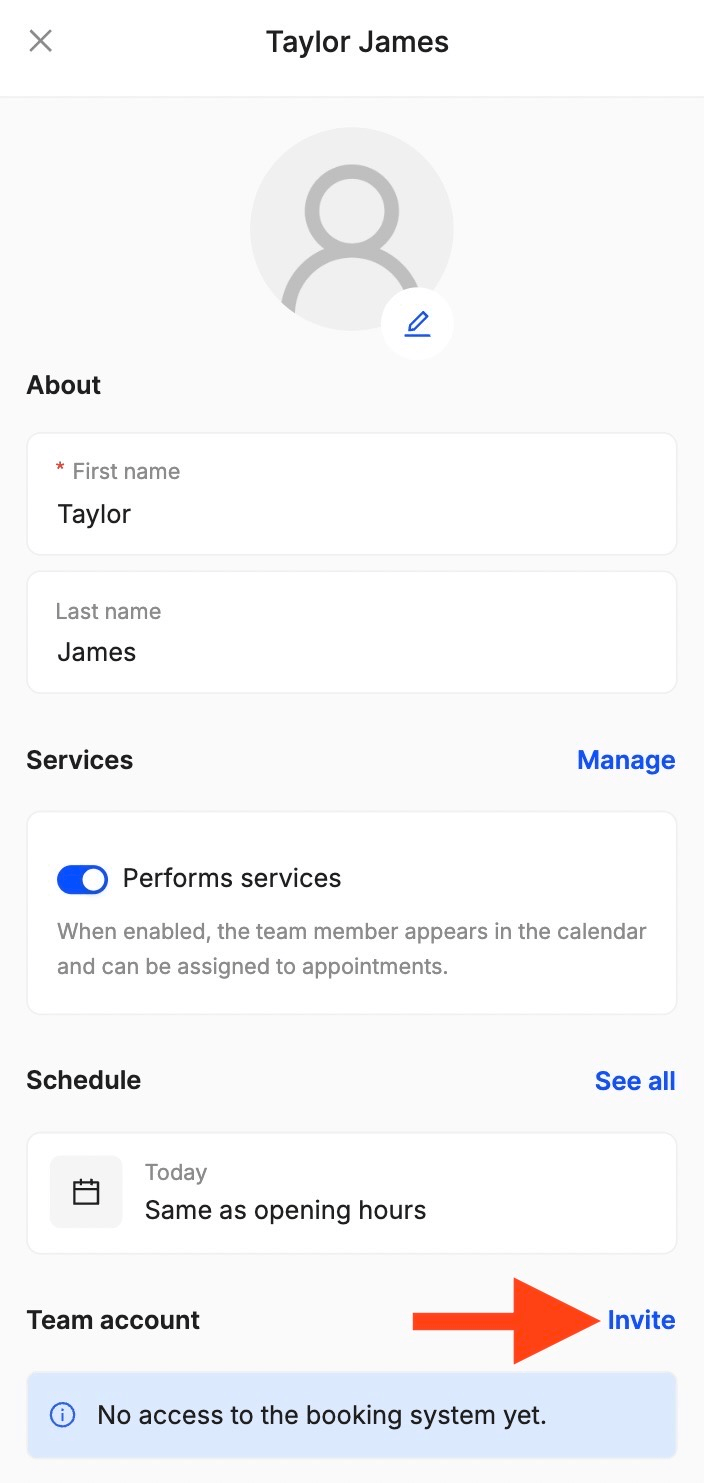
Only if they use different devices! As the admin, you can add staff members to your account. Each person gets their own login information and permissions (what they can see and do), so they can have access to everything they need. This way, they can check the schedule, manage appointments, and receive notifications.
6. Is the app free to download?
You can install the TimeTailor salon booking app on any Android or iOS device, free of cost! There are no setup fees and no payments required to start.
7. How do I install the app on my phone?
Open the App Store or Google Play Store (depending on your device), search for “TimeTailor” or “TimeTailor salon software”, click on “download”, and, once the installation is complete, you're ready to start creating your account!
8. Do I need an account to install the app?
No, you don't need an account to install the TimeTailor app! You can go to the App Store or Google Play Store and download it for free. Once the installation is complete and you open the app, you'll be asked to create your account and begin the onboarding process.
9. Is the app available in my country?
TimeTailor is available worldwide! You just have to download the app and start using it from your region. We currently support more than 30 languages, with the possibility of adding more upon request!
10. What should I do after installing the app?
Once the installation is complete and you created your new account, simply follow the setup guide to get your salon up and running!
11. How do I update the app?
Updating our salon software app works like any other app on your phone or tablet! Open the App Store or Google Play Store (depending on your device), search for available updates, find TimeTailor, and click on “update”. You can also turn on automatic updates, so it does it on its own!
12. How do I uninstall the app?
Find the TimeTailor app on your home screen, press and hold the icon, and delete it from there! Just note that uninstalling the app from your device doesn't delete your account (you can delete it like this), and that you can always reinstall it later and recover all your data.
13. The app won't download, what should I do?
If you encounter any issues regarding the TimeTailor app, please contact our support team, available 24/7 via live chat! You can also email us at support@timetailor.com, and we'll respond as quickly as possible.
Send your details - we do the rest!
We offer all you need for a thriving salon: website & logo creation, instant profile setup, 1:1 staff training payment system integration, intuitive appointment management, and more!
Start Now
TimeTailor’s salon appointment software is an all-in-one salon online booking system for freelancers and small business owners. We also optimize or create a website for your salon. This POS system allows you to take deposits and manage payments.